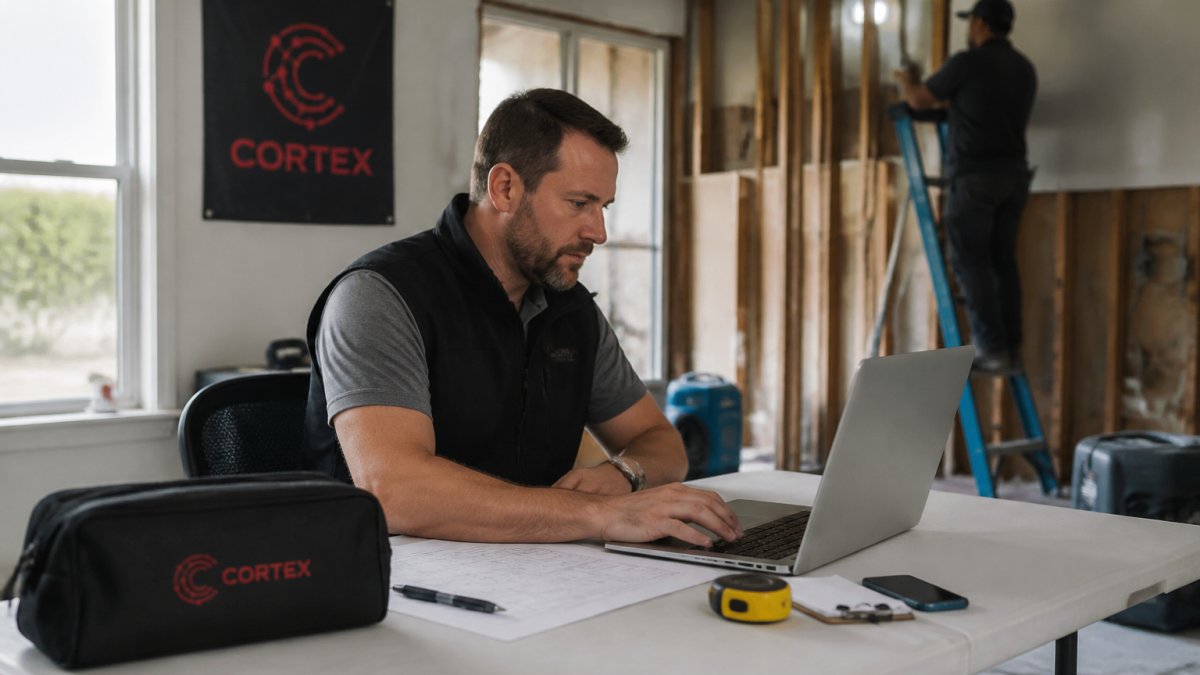
 comparison
DocuSketch Alternative for Small Contractors: 2026 Guide
Table of Contents
- Why Small Contractors Are Switching from DocuSketch
- Top DocuSketch Alternatives for Small Contractors in 2026
- Feature Comparison: Floor Plans, Mobile Scanning, and Data Ownership
- Restoration Management Software for Small Business: What Actually Fits Your Budget
- The Best CRM for Restoration Contractors: Beyond Documentation
- Total Cost of Ownership: What Competitors Don't Tell You
- Conclusion: Choosing the Right DocuSketch Alternative
- Frequently Asked Questions
Last Updated: September 13, 2026
Why Small Contractors Are Switching from DocuSketch
Small restoration crews are walking away from DocuSketch because the hardware, subscription, and training overhead rarely pencil out below a certain job volume. A docusketch alternative for small contractors usually means a phone-based tool that documents a loss without a dedicated camera kit or a multi-week rollout.
The pattern shows up constantly: a 15-person shop buys an enterprise scanning setup, uses it on two jobs a month, then eats the cost. Most teams never run the math on use. They buy for their biggest job of the year and pay for it on every quiet week in between.
This guide from Cortex by JobDox breaks down what actually fits a small restoration business: real alternatives, honest pros and cons, and the cost questions vendors skip. Below, we'll show you exactly how to pick one without overbuying.
Top DocuSketch Alternatives for Small Contractors in 2026
The best DocuSketch alternative for a small contractor depends on whether you need floor plans, photo documentation, or full operations automation. Here are options that fit small budgets.

Cortex by JobDox: AI-Native Operations for Restoration Teams
Cortex by JobDox is an AI-native operations platform built specifically for restoration and service contractors, not adapted from a generic construction tool. That distinction matters when your admin spends hours a week on adjuster emails and job photos.
Setup is the differentiator. You describe your workflow in plain English and the platform builds it, so onboarding doesn't pull your crew off jobs for weeks. Cortex Copilot answers job, crew, and financial questions in plain language, which means a project manager can check a budget without digging through reports.
- Best for: Small restoration firms that want documentation and scheduling handled in one place
- Pros: Predicts project budgets and flags overruns early; drafts adjuster responses; converts won jobs into local landing pages automatically; optional white-glove onboarding
- Cons: Broader than a pure scanning tool, so teams that only want floor plans may not need everything
- Pricing: Free trial available; see the Cortex by JobDox pricing page for current tiers
MagicPlan: Budget-Friendly Mobile Scanning
MagicPlan turns a standard phone camera into a room scanner. Point, capture, and it generates 2D and 3D floor plans with instant estimates from the dimensions it reads.
For a small contractor doing mostly water mitigation and light reconstruction, that's often enough. The catch is restoration-specific documentation: MagicPlan sketches rooms well, but it doesn't handle the claims workflow around them.
- Best for: Solo operators and small crews needing low-cost sketching
- Pros: Runs on phones you already own; exports to PDF, DXF, and Excel; free tier available
- Cons: No restoration-specific documentation workflows
- Pricing: Starts around $19/month
CompanyCam: Visual Documentation Without the Hardware
CompanyCam does one thing well: it keeps a photo record of every job that anyone on your team can find later. Every image is GPS and timestamp tagged, and you can annotate directly in the app.
The audit trail is the real value. When an adjuster questions scope six weeks after the fact, you have dated, located photos. What you don't get is automated floor plan generation, so pair it with a sketching tool if you need CAD-style output.
- Best for: Teams whose priority is job site photo documentation
- Pros: Unlimited photo and video storage per project; minimal training required; integrates with major CRM and project management tools
- Cons: No automated floor plan sketching
- Pricing: Starts around $79/month
iGUIDE: Pay-Per-Project Laser Accuracy
iGUIDE uses laser measurement to produce floor plans accurate enough for professional claims, plus 360-degree virtual tours. You pay per project instead of monthly, which suits contractors with lumpy job volume.
The trade-off is hardware. iGUIDE requires a specialized camera to capture data, so the low subscription cost comes with an equipment commitment.
- Best for: Contractors who prefer pay-as-you-go over recurring fees
- Pros: High measurement precision; no long-term subscription; integrates with third-party estimating software
- Cons: Requires specialized camera hardware
- Pricing: Contact iGUIDE for per-project rates
Feature Comparison: Floor Plans, Mobile Scanning, and Data Ownership
Choosing between these tools comes down to four questions: does it generate floor plans, does it run on the phone in your pocket, who owns the data, and does it work when the signal drops. Here is how each option actually behaves on those four axes.
| Tool | Floor Plans | Mobile Scanning | Offline Access | Data Export | Pricing Model |
|---|---|---|---|---|---|
| Cortex by JobDox | Yes, plus full ops | Yes, phone-based | Confirm with vendor for field use | Job photos, budgets, and records exportable; ask for a sample file | Free trial, see pricing page |
| MagicPlan | Yes, 2D and 3D | Yes, AR camera | Limited, sketch capture works, cloud sync waits for signal | PDF, DXF, JPG, and CSV exports on paid tiers | Subscription from ~$19/mo |
| CompanyCam | No | Photo capture only | Limited, photos queue and upload when reconnected | Bulk photo and project export; original resolution retained | Subscription from ~$79/mo |
| iGUIDE | Yes, laser-accurate | Requires proprietary camera | No, capture needs the hardware and a connection | Floor plans and tours delivered as project files | Pay-per-project |
Hardware compatibility: what you actually need to own
This is the question small contractors ask first and vendors answer last. The hardware bar separates these tools more than any feature list.
- Phone-only tools. MagicPlan and CompanyCam run on the iPhone or Android device already in your truck. MagicPlan uses the camera and, on supported models, ARKit or ARCore for room capture. No extra purchase.
- Proprietary hardware tools. iGUIDE requires its own camera and capture kit. That is a capital expense on top of the per-project fee, and it ties your documentation capability to one device that has to be on site.
- Platform tools. Cortex by JobDox is software-first, it runs on standard phones and tablets, so you are not buying a scanner to get started.
A practical rule: if your crew already carries modern smartphones, you can evaluate three of these four tools this week without spending a dollar on hardware. Only iGUIDE forces a hardware decision before you can test it.
Data ownership and portability
Cloud storage is convenient until you want to leave. Ask three questions before you sign anything:
- What format do I get on export? Open formats (PDF, CSV, DXF, JPG) travel anywhere. Proprietary bundles do not.
- Can I export in bulk, or one job at a time? Bulk export is the difference between a weekend of work and a month of it.
- Is there an export fee or a support ticket required? Some vendors gate exports behind a request; that is a soft lock-in.
For a small shop with two years of job history, migration cost is real labor. If you cannot pull your photos, measurements, and notes out in a format another tool can read, your switching cost next year is whatever the vendor decides it is. Get a sample export in writing before you commit.
Restoration Management Software for Small Business: What Actually Fits Your Budget
Restoration management software for small business should solve your most expensive bottleneck first, and for most 10-50 person firms that's not scanning. It's the admin hours lost to adjuster communication and job costing.
A practical way to decide:
- Track one week of admin time spent on adjuster emails and photo organization
- Identify your most common claim dispute and what documentation would prevent it
- List the tools your team already uses daily and check integration options
- Get export terms in writing before signing anything
- Run a free trial on one live job, not a test job
If your bottleneck is documentation, a scanning tool fixes it. If it's the whole workflow, from intake to adjuster response to scheduling, you need an operations platform rather than a scanner.
The Best CRM for Restoration Contractors: Beyond Documentation
The best CRM for restoration contractors connects job documentation to billing, scheduling, and customer follow-up, because a claim isn't finished when the photos are uploaded. It's finished when the check clears.
Most small firms run documentation in one tool and customer tracking in another, then reconcile by hand. That gap is where money leaks: a supplement never submitted, a follow-up call never made, a referral never asked for.
Cortex by JobDox closes that gap by keeping documentation, budgets, and communication in one system, then turning completed jobs into local landing pages that bring in the next one. For a small team, fewer tools means fewer places for a job to stall.
Total Cost of Ownership: What Competitors Don't Tell You
Every competitor page lists a subscription price. None of them add up what the tool actually costs a small crew over a year. That is the number that decides whether a DocuSketch alternative pays for itself, and it is almost never the sticker price.
Total cost of ownership has four lines. Add all four before you compare anything.
| Cost Line | What to Include | Why It Matters |
|---|---|---|
| Subscription | Monthly or per-project fees | Recurring and predictable |
| Hardware | Cameras, scanners, mounts, cases, replacement batteries | One-time, but real, and it can dwarf a year of subscription |
| Onboarding | Team hours in training and setup | Your most expensive resource is billable field time |
| Migration | Export, re-entry, and re-training if you switch | The cost nobody budgets for |
A worked example for a five-person crew
Say you run five field staff and average eight documented jobs a month. Here is how the lines stack up for a phone-based tool versus a hardware-based one:
- Phone-based tool at ~$19-$79/month. Subscription runs roughly $230-$950 a year. Hardware cost: $0, because your crew already carries phones. Onboarding: a few hours of one admin's time to set up templates and walk the crew through the app.
- Hardware-based tool with per-project pricing. The per-project fee looks cheap until you add the capture kit. A proprietary camera and accessories is a four-figure capital purchase before you document a single job, and it has to be on site for every capture. Lose it, drop it, or leave it in a truck overnight and you buy it again.
- The training line. A tool your crew already understands costs almost nothing to adopt. A tool with a new capture workflow, new file types, and a new desktop step costs field hours, and field hours are the ones you bill for.
The line item vendors skip: your time
Most practitioners find the hidden cost is not software at all. It is the admin hours spent chasing adjuster emails, re-organizing photos, and rebuilding a scope because the documentation did not survive a dispute. Track one week of that time before you buy anything. If a tool removes even a few of those hours a month, it pays for itself; if it only adds a new place to upload photos, it does not.
Vendor lock-in is the fifth line
If exporting your data requires a support ticket and a proprietary file format, your switching cost next year is whatever the vendor decides it is. Ask for a sample export before you commit. For broader context on how software buyers evaluate these trade-offs, the FTC guidance on business software and data practices is a useful reference on what vendors must disclose.
Conclusion: Choosing the Right DocuSketch Alternative
The right choice comes down to your actual bottleneck, not the longest feature list. If you need sketches, MagicPlan or iGUIDE covers it. If you need a photo trail, CompanyCam delivers. If you need the whole operation, from documentation to adjuster recovery to new-job marketing, that's a different category of tool.
Cortex by JobDox was built for exactly that: restoration teams that want documentation automated, budgets predicted before overruns happen, and adjuster responses drafted for them. Teams can start on a free trial and see how it fits a live job before committing.
Frequently Asked Questions
How much does the DocuSketch camera cost?
DocuSketch uses a proprietary 360-degree camera that typically requires a hardware investment plus a monthly subscription. For small contractors, this upfront cost can be a barrier. Alternatives like MagicPlan and CompanyCam work with your existing smartphone, eliminating hardware expenses. Cortex by JobDox also runs on standard devices and offers a free trial so you can test the workflow before committing. Check each vendor's pricing page for current rates.
What features should small contractors prioritize when switching documentation software?
Focus on mobile scanning that works with your current phone, offline access for basements and remote sites, and floor plan generation accurate enough for claims adjustment. Data ownership matters too: can you export your files if you leave? Look for integration with your existing project management tools and a user interface your crew can learn in a day. Cortex by JobDox adds AI-powered budget predictions and adjuster response drafting, which go beyond basic documentation.
Are there free alternatives to DocuSketch for small contractors?
MagicPlan offers a free tier with basic room scanning and floor plan export, though advanced features require a $19/month subscription. Cortex by JobDox provides a 14-day free trial and a free plan option, letting you test AI-native workflow automation before paying. CompanyCam starts at $79/month with no free tier. For contractors watching cash flow, starting with a free trial or free plan lets you validate the tool on real jobs before committing.
How does Cortex by JobDox compare to standalone sketching tools?
Standalone tools like MagicPlan or iGUIDE handle floor plans and measurements but stop there. Cortex by JobDox is an AI-native operations platform that also predicts project budgets, drafts adjuster responses, manages schedules, and converts won jobs into local landing pages. For small contractors who want one system for documentation, job costing, and CRM instead of juggling three subscriptions, Cortex replaces the sketch tool plus two or three other apps.
Does my restoration business need an AI-native platform?
If you're spending hours on adjuster emails, manually tracking job costs, or losing money on scope creep, an AI-native platform can recover that time. Cortex by JobDox uses AI to flag budget overruns early and draft adjuster responses, which helps small teams compete with larger firms. If your current workflow is just photos and sketches, start with a documentation tool and add AI capabilities when you're ready to automate operations.
Small restoration companies lose money in the gaps between tools, not inside them. Cortex by JobDox closes those gaps with AI-native documentation, budget prediction that flags overruns early, and automatic adjuster response drafting, all built for contractors rather than adapted from generic construction software. Start your 14-day free trial with Cortex by JobDox and run it on a real claim before you decide.