
 comparison
DocuSketch vs Albi Software: 2026 Comparison Guide
Table of Contents
- DocuSketch vs Albi: Quick Comparison Table
- What Is DocuSketch?
- What Is Albi Software?
- Floor Plans, 360° Imagery, and Measurement Precision
- Restoration Management Software Features: Where Each Tool Wins
- Pricing, Hardware, and Total Cost of Ownership
- Alternatives to Manual Restoration Project Tracking: Integration and Data Ownership
- Which Tool Fits Your Restoration Business?
- Frequently Asked Questions
Last Updated: September 27, 2026
DocuSketch vs Albi: Quick Comparison Table
The docusketch vs albi software comparison comes down to a fundamental difference in approach: DocuSketch is a documentation-first tool built around proprietary 360° camera hardware, while Albi Software is a full restoration management platform that handles the entire project lifecycle from intake to invoice. At Cortex by JobDox, we've watched contractors wrestle with this exact decision, and the honest answer is that they solve different problems.
Here's how they stack up at a glance:
| Feature | DocuSketch | Albi Software | Winner |
|---|---|---|---|
| Primary focus | 360° documentation and sketching | Full restoration management | Depends on need |
| Hardware | Proprietary camera kit required | Works on existing devices | Albi |
| Floor plan generation | Automated from scan data | Manual or basic sketching | DocuSketch |
| Xactimate integration | Native | Available | DocuSketch |
| Project management | Limited | Full lifecycle | Albi |
| Starting price | $975 hardware/project bundle | Subscription-based | Varies |
The pattern is clear: pick DocuSketch for measurement precision, pick Albi for operational breadth. But there's a third option worth considering before you commit to either.
What Is DocuSketch?
DocuSketch is an all-in-one documentation and sketching solution that combines 360° camera hardware with cloud-based software for restoration contractors. It's built around a simple premise: send a technician to site, capture everything in one scan, and generate an accurate floor plan automatically.
The workflow is genuinely fast. A field technician mounts the camera, walks the property, and the system stitches the imagery into a navigable 360° tour with measurements baked in. No tape measure, no manual sketching, no return trips because someone missed a room.
Where it falls short is everything that happens after documentation. DocuSketch doesn't manage your schedule, track job costs, or draft adjuster correspondence. It's a documentation tool, and a very good one, but it stops at the edge of the sketch.
What Is Albi Software?
Albi Software is a restoration management platform that handles project intake, scheduling, documentation, and billing in one system. It's designed for the operational side of restoration work: getting jobs into the pipeline, keeping crews coordinated, and closing out invoices without administrative chaos.
Albi's strength is breadth. You get job management, customer communication, and reporting in a single dashboard. For contractors tired of juggling four different tools, that consolidation has real appeal.
The tradeoff is depth in any single area. Albi's sketching and measurement tools are functional but not specialized. If accurate floor plans are central to your claims process, you'll notice the gap.
Restoration Industry Association resources on documentation standards
Floor Plans, 360° Imagery, and Measurement Precision
DocuSketch wins on measurement precision, and it's not particularly close. The 360-degree imagery captures wall-to-wall coverage in a single pass, and automated floor plan generation eliminates the transcription errors that creep into manual sketching.
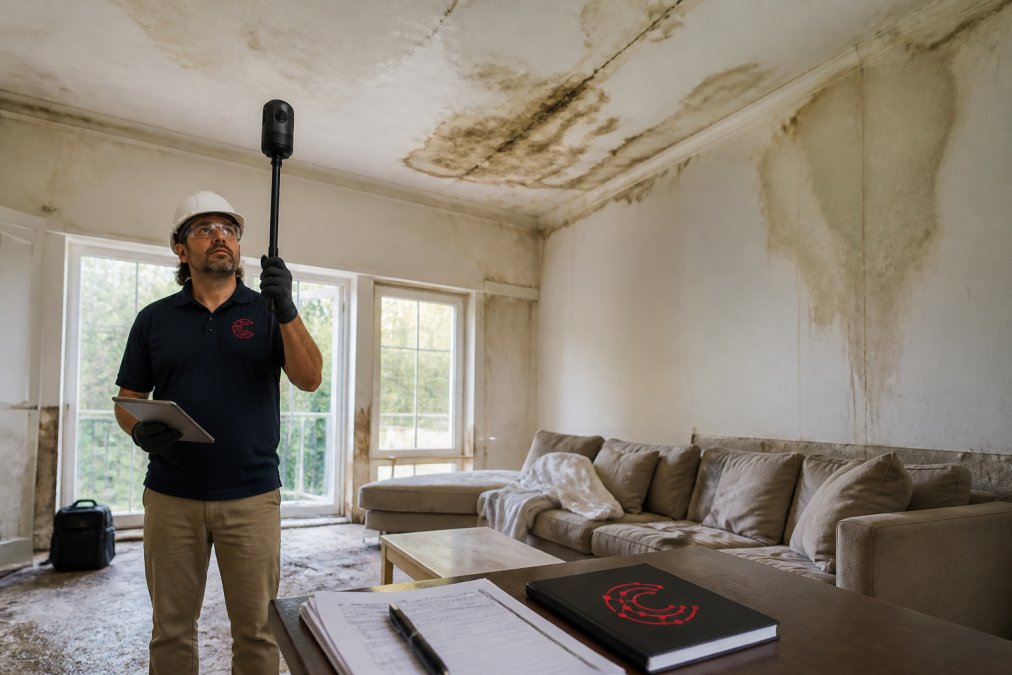
For insurance adjusters, that accuracy matters. Disputed measurements delay claims settlement, and delayed settlements strain cash flow. A tool that produces defensible documentation reduces back-and-forth.
Albi handles documentation adequately for routine jobs. Where it struggles is complex losses with irregular layouts, the kind where laser accuracy and comprehensive 360-degree imagery prevent costly scope disputes.
Restoration Management Software Features: Where Each Tool Wins
Restoration management software features split into two categories: documentation tools and operational tools. DocuSketch dominates the first. Albi covers the second.
DocuSketch strengths:
- Automated sketching from scan data
- Native Xactimate integration for estimating
- Cloud-based storage with offline mode for remote sites
- Field technician workflow optimized for speed
Albi strengths:
- Full project management from intake to invoice
- Scheduling and crew coordination
- Customer communication tracking
- Financial reporting and job costing
The gap competitors miss: neither tool addresses budget prediction or adjuster communication automation. That's where AI-native platforms like Cortex by JobDox enter the conversation.
Pricing, Hardware, and Total Cost of Ownership
Run the math on a mid-size shop:
| Scenario | DocuSketch | Albi Software |
|---|---|---|
| 5 field technicians documenting sites | 5 camera kits required | Existing phones/tablets |
| Upfront hardware outlay | $975 per kit at entry | $0 |
| Ongoing cost | Subscription + kit maintenance/replacement | Per-user subscription |
| Cost behavior as you scale | Steps up in hardware increments | Steps up in seat increments |
| Cost behavior with turnover | Kit must be reassigned or replaced | Seat reassigned |
- Technician turnover. Restoration field roles see frequent churn. Every time a camera-trained tech leaves, you either recover and reassign the kit or absorb replacement cost. A subscription seat, by contrast, is a login that gets handed to the next hire.
- Documentation volume per kit. A kit that sits idle is pure carrying cost. If your documentation volume is seasonal or concentrated in a few techs, you're paying for hardware that isn't producing.
U.S. Small Business Administration guidance on software cost evaluation
The ROI angle competitors skip. Neither tool publishes a documented return-on-investment model, and that's the gap worth naming. The value of documentation accuracy isn't the software fee, it's the disputed line items that don't get clawed back and the claims that settle without a second site visit. The value of operational consolidation isn't the subscription, it's the admin hours that stop being spent reconciling four tools. Contractors evaluating either platform should build their own ROI model around those two outcomes, because the vendors won't.
Alternatives to Manual Restoration Project Tracking: Integration and Data Ownership
What to actually ask both vendors:
- Which estimating platforms have native (not CSV-export) integrations?
- Is there a documented API, and is it available on your pricing tier or gated behind an enterprise plan?
- Which accounting systems sync natively, and does the sync push invoices, pull payments, or both?
- Can you export the full dataset, imagery, measurements, project records, in a non-proprietary format, and at what cost?
- What's the data retention policy after you cancel?
Data ownership deserves more scrutiny than it usually gets. When documentation lives in a proprietary system, switching costs rise, and in restoration, that documentation is often tied to insurance claims that can be reopened months or years later. Ask directly: if you leave, do you keep access to historical scans, and for how long?
Which Tool Fits Your Restoration Business?
The docusketch vs albi software comparison resolves differently depending on your primary constraint.
Choose DocuSketch if:
- Measurement accuracy is your top priority
- You document complex losses with irregular layouts
- Xactimate is your core estimating platform
- You can absorb hardware costs across your field team
Choose Albi if:
- You need one system for the entire project lifecycle
- Operational coordination is your biggest pain point
- You prefer subscription pricing without hardware commitments
- Your documentation needs are straightforward
Consider Cortex by JobDox if:
- You want AI-driven budget prediction and overrun alerts
- Adjuster communication and O&P recovery matter to your margins
- You need documentation automation without proprietary hardware
- Implementation speed is critical
Frequently Asked Questions
What are the primary differences between DocuSketch and Albi?
DocuSketch centers on 360-degree image capture and automated floor plan generation, pairing its software with dedicated camera hardware for field documentation. Albi focuses on broader restoration management, including job costing, scheduling, and CRM tools for the whole business. In a DocuSketch vs Albi decision, pick DocuSketch when measurement precision and scan-to-plan speed matter most, and Albi when you need end-to-end project management beyond documentation.
Does Albi offer the same floor plan capabilities as DocuSketch?
Albi handles documentation and estimating workflows, but its floor plan generation is not built around the same 360-degree scan-to-plan process DocuSketch uses. DocuSketch's laser accuracy and automated sketching come from combining its camera kit with cloud software. If fast, precise floor plans are your priority, DocuSketch is the stronger fit. If you mainly need restoration management software features like scheduling and job costing, Albi covers that ground.
How much does DocuSketch cost per month?
DocuSketch pricing starts around $975 for a hardware and project bundle, with subscription tiers on top. Monthly costs depend on how many field kits you need and your project volume. Albi uses a subscription model as well, so compare both against your monthly job count. Request current quotes directly from each vendor, since pricing changes and bundles vary by team size and contract length.
Is DocuSketch or Albi better for small restoration businesses?
Small teams with 10-50 employees often need both documentation speed and operational visibility. DocuSketch shines when your bottleneck is field capture and adjuster-ready reports. Albi fits when your bottleneck is scheduling, job costing, and customer management. Many small firms start with the tool that solves their biggest daily pain, then add the other later. Consider alternatives to manual restoration project tracking if you want one platform to replace spreadsheets entirely.
What features should I look for in a restoration documentation platform?
Prioritize measurement precision, mobile capture, cloud-based storage, and export formats that work with your estimating platform. Check whether the tool supports offline mode for job sites with weak signal, and confirm data ownership terms before you commit. Integration with insurance adjuster workflows and real-time collaboration matter as your team grows. If documentation is only one piece of your operation, weigh whether a broader platform covers scheduling and billing too.