
 listicle
Best Real Time Job Costing Software for Contractors 2026
Table of Contents
- Quick Comparison: Real Time Job Costing Software
- Cortex by JobDox: AI-Native Job Costing for Restoration and Service Contractors
- LiveCosts: Real-Time Budget vs. Actuals for Small Construction Teams
- Knowify: Job Costing with QuickBooks Integration for Trade Contractors
- Procore: Enterprise-Grade Job Costing for Large Commercial Projects
- JOBPOWER: Construction Accounting with Automatic WIP Generation
- Timeero: GPS Labor Tracking for Precise Field Cost Visibility
- QuoteIQ: Mobile-First Job Costing for Field Service Businesses
- Frequently Asked Questions
Last Updated: September 17, 2026
Quick Comparison: Real Time Job Costing Software
Real time job costing software tracks labor, materials, and overhead against estimated budgets as work happens, not weeks after the invoice lands. For restoration and service contractors, that delay is the difference between recovering a job's profit and eating a five-figure overrun. This guide from Cortex by JobDox breaks down seven platforms contractors actually use.
The central problem is data latency: when field data reaches the office days later, cost variance is a historical record, not a warning. The right platform depends on your trade, crew size, and whether you need full construction accounting or just sharper labor visibility.
| Software | Best For | Standout Feature | Starting Price |
|---|---|---|---|
| Cortex by JobDox | Restoration and service contractors | AI budget prediction and adjuster drafts | Free trial available |
| LiveCosts | Small to mid-size construction | Live budget vs. actuals | Contact for pricing |
| Knowify | Trade contractors | QuickBooks synchronization | Contact for pricing |
| Procore | Large commercial projects | Full project financials | Custom quote |
| JOBPOWER | Mid-size specialty contractors | Automatic WIP generation | Contact for pricing |
| Timeero | Mobile labor tracking | GPS geofencing | Contact for pricing |
| QuoteIQ | Field service businesses | Mobile-first estimating | Contact for pricing |
Cortex by JobDox: AI-Native Job Costing for Restoration and Service Contractors
Cortex by JobDox is an AI-native operations platform built specifically for restoration and service contractors, and it is our top pick for that audience. Instead of forcing you to configure cost codes from scratch, it builds workflows from plain English descriptions of your business.
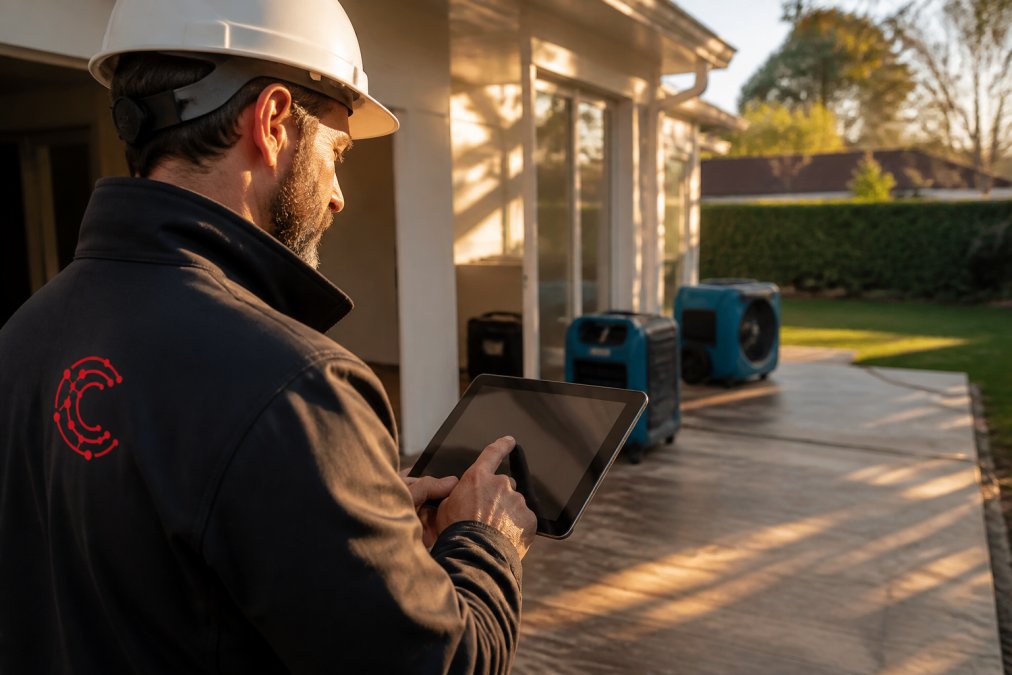
The platform predicts project budgets and flags overruns early, which matters most on water damage and mold jobs where scope creep is the norm. Cortex Copilot answers job, crew, and financial questions in plain English, so a controller can ask which jobs are trending over budget without building a report. It also drafts adjuster responses and converts won jobs into search-optimized local landing pages.
What most guides miss: restoration profitability often hinges on documentation speed, not estimating accuracy.
Pros: Built specifically for restoration workflows; automated setup from plain English; Copilot for plain-English financial queries; adjuster response drafting; white-glove onboarding available. Cons: Narrower fit than general construction ERPs if you run heavy commercial work.
LiveCosts: Real-Time Budget vs. Actuals for Small Construction Teams
LiveCosts does one thing well: it shows you budget versus actuals live, without the overhead of a full ERP. For small to mid-size construction businesses, that focus is the appeal.
It provides real-time construction cost tracking and automated project financial reporting, giving instant insight into project profitability, and is designed around construction workflows rather than adapted from generic accounting.
The tradeoff is transparency: pricing is not publicly listed, so you will need a sales conversation before comparing total cost of ownership against alternatives.
Pros: Instant profitability insight; purpose-built for construction. Cons: Opaque pricing; limited scope beyond cost tracking.
Knowify: Job Costing with QuickBooks Integration for Trade Contractors
Knowify targets trade contractors who already run their books in QuickBooks and do not want to abandon that. The integration synchronizes job costs directly into your existing general ledger, removing the double-entry problem that plagues most field-to-office handoffs.
How the QuickBooks sync actually works
The integration is not a one-way export. Knowify pushes estimates, change orders, time entries, and material costs into QuickBooks Online or Desktop, and pulls back the chart of accounts, vendor lists, and payment records. That two-way flow makes real-time job costing possible without a parallel set of books.
A common pattern is to map Knowify cost codes to existing QuickBooks items rather than rebuilding the chart of accounts.
What the implementation actually looks like
Migrating legacy accounting data is the step most software guides skip, and where adoption usually stalls. A realistic sequence for a 10-to-30 person trade contractor:
- Export open jobs, active estimates, and the current chart of accounts from QuickBooks.
- Map Knowify cost codes to QuickBooks items and classes.
- Load open jobs as in-progress with their remaining budget, not their full original budget.
- Run Knowify and QuickBooks in parallel for one full billing cycle before cutting over.
- Reconcile job-level WIP reports between the two systems before retiring the manual spreadsheet.
ROI: what to actually measure
A simple framework for estimating payback, using numbers you already have:
- Administrative hours saved. Count the hours per week your office spends re-keying field tickets into QuickBooks, multiplied by a fully loaded hourly rate. That is your baseline labor savings.
- Change order recovery. Track the dollar value of change orders that went unbilled or under-billed last year. Real-time job costing typically recovers a meaningful share of that.
- Overrun detection lead time. Estimate the average days between when a job actually went over budget and when you found out. Every day of earlier detection is a day of corrective action you did not have before.
Training: field staff versus back office
The learning curve is not uniform. Back-office staff who already live in QuickBooks adapt quickly because the mental model is the same. Field staff and foremen are the harder group, and their adoption determines whether the data is actually real-time.
Procore: Enterprise-Grade Job Costing for Large Commercial Projects
Pros: Highly scalable; strong feature set. Cons: Cost-prohibitive for smaller contractors.
JOBPOWER: Construction Accounting with Automatic WIP Generation
JOBPOWER is construction accounting software first, job costing second, the right priority for contractors who need fiscal control rather than operational dashboards.
Timeero: GPS Labor Tracking for Precise Field Cost Visibility
Timeero solves a narrower problem than the full job costing platforms above: knowing exactly where your labor dollars go. GPS time tracking and geofencing confirm crews are on site, facial recognition handles clock-ins, and real-time labor cost reporting feeds the numbers back to the office.
Why labor is the hardest cost to track in real time
Material costs arrive as invoices. Subcontractor costs arrive as pay applications. Labor is different: it accrues every hour, across every crew, on every job, and is the cost most likely to be wrong in your books because it depends on human data entry at the end of a long shift.
Security and data compliance for GPS and biometric data
This is the angle most job costing guides skip entirely, and it matters more than contractors expect. GPS location data and facial recognition templates are sensitive categories of information, and how a vendor handles them is a real procurement question, not a checkbox.
- Where is the data stored, and which cloud region hosts it?
- Is location data retained after payroll processing, or purged on a defined schedule?
- Are biometric templates stored on-device or in the vendor's cloud?
- Does the vendor support single sign-on and role-based access controls for back-office users?
- What is the data export and deletion process if you leave the platform?
Training field staff on GPS tracking without triggering resistance
The single biggest adoption risk with GPS time tracking is not technical but cultural. Crews who feel surveilled will find workarounds, and workarounds defeat the purpose of real-time data.
QuoteIQ: Mobile-First Job Costing for Field Service Businesses
QuoteIQ is built for field service businesses, with leak detection as a named use case. A built-in job costing calculator, real-time profit margin analysis, and mobile-first estimation tools let technicians quote and cost work from the truck.
Frequently Asked Questions
What software can I use to track job costs in real time?
Several options exist, including Cortex by JobDox, LiveCosts, Knowify, Procore, and Timeero. Cortex by JobDox stands out for restoration and service contractors because it uses AI to predict budgets and automate documentation. LiveCosts offers live budget vs. actuals for small construction teams. Knowify integrates with QuickBooks for trade contractors. The best choice depends on your trade, team size, and whether you need accounting integration or mobile labor tracking.
Does QuickBooks Online allow for job costing?
QuickBooks Online provides basic job costing through its Projects feature, letting you track income and expenses by customer or job. It works for simple needs but lacks real-time cost codes, WIP tracking, and automated budget alerts. For contractors needing detailed job costing software, solutions like Knowify or JOBPOWER sync with QuickBooks to add construction-specific features such as labor burden, change order tracking, and work-in-progress reports.
How does real-time job costing improve project profitability?
Real-time job costing gives you immediate visibility into actual costs versus estimated budgets. You can spot overruns early, adjust labor or materials before they eat your profit margin, and make informed decisions about change orders. Automated project budget tracking also reduces administrative overhead by eliminating manual data entry and spreadsheet reconciliation. Contractors using these systems often recover more from adjusters and reduce billing delays.
Can AI-native platforms automate job costing for restoration businesses?
Yes. AI-native platforms like Cortex by JobDox are built specifically for restoration contractors. They automate documentation, predict project budgets based on historical job data, flag cost overruns early, and draft adjuster responses to recover more money. These AI-powered construction management tools learn from your unique jobs and variables, so they improve over time. They also integrate with accounting systems to keep financial data synchronized.
What is the difference between standard accounting and job costing software?
Standard accounting software tracks overall business income and expenses but doesn't break down costs by individual project. Job costing software assigns every labor hour, material, and overhead cost to a specific job, giving you per-project profitability. It also handles construction-specific needs like work-in-progress, change order tracking, and labor burden. For contractors, job costing provides the financial visibility needed to bid accurately and protect profit margins.