
 ultimate-guide
Restoration Software Implementation: Time and Effort
Table of Contents
- What Restoration Software Implementation Actually Requires
- Restoration Project Management Software Onboarding: Setup and Configuration
- Restoration Software Training Best Practices for Your Team
- Data Migration and Legacy System Integration
- Best AI Tools for Contractors and Implementation Speed
- Phased Implementation vs. Big Bang Deployment
- Measuring Success and Avoiding Implementation Failure
- Frequently Asked Questions
Last Updated: September 28, 2026
What Restoration Software Implementation Actually Requires
Restoration software implementation isn't a one-size-fits-all project. The time and effort required depends on your current workflows, team size, data complexity, and how much you're willing to change the way you work. Most restoration contractors underestimate both the timeline and the internal resources they'll need to dedicate to getting a system live and actually used by their teams.
The real challenge isn't the software itself, it's moving your team from "we've always done it this way" to "this new system is how we work now." That transition takes intentional planning, realistic timelines, and honest conversations about what has to change. According to industry research on software adoption, organizations that plan for change management see adoption rates 3x higher than those that don't.
At Cortex by JobDox, we've built restoration software implementation to minimize this friction. The platform is designed to automate your existing workflows rather than force you to rebuild them from scratch. But even with that advantage, you still need to think through data migration, team training, and how you'll transition from your current system to the new one.
The time commitment depends on your approach. A phased implementation, rolling out features gradually across your business, takes longer but reduces disruption. A big bang deployment moves faster but requires more upfront preparation and carries higher risk if something goes wrong.
Restoration Project Management Software Onboarding: Setup and Configuration
Getting your restoration project management software configured correctly is where most implementations either succeed or stumble. Setup isn't just about entering your company information, it's about mapping your actual business processes into the system so it works the way your team actually operates.
This includes setting up your organizational structure, defining user roles and permissions, configuring workflows for different job types, and establishing your reporting dashboards. The more customization you need, the longer this phase takes.
Start by documenting your current workflows before you touch the software. Map out how a typical restoration job flows from initial contact through completion and billing. Where do decisions happen? Who approves what? What information needs to be captured at each stage? This documentation becomes your configuration blueprint.
User roles are critical. A restoration project manager needs different access than a field technician or an office administrator. Define these roles clearly before you start configuration. Most teams make the mistake of giving everyone broad access, which creates security risks and makes the system harder to use because people see too many options they don't need.
Workflow automation is where restoration software implementation delivers real value. Instead of manually updating job status, sending notifications, or flagging budget overruns, the system handles these tasks automatically based on rules you define. Setup automation for your most common scenarios first, job creation, crew assignment, adjuster notifications, then add more sophisticated workflows once your team is comfortable with the basics.
Restoration Software Training Best Practices for Your Team
Training is where restoration software implementation either accelerates adoption or stalls it. Most contractors allocate too little time for training and expect their teams to figure it out on the job. That approach creates frustration, errors, and staff who resist using the system.
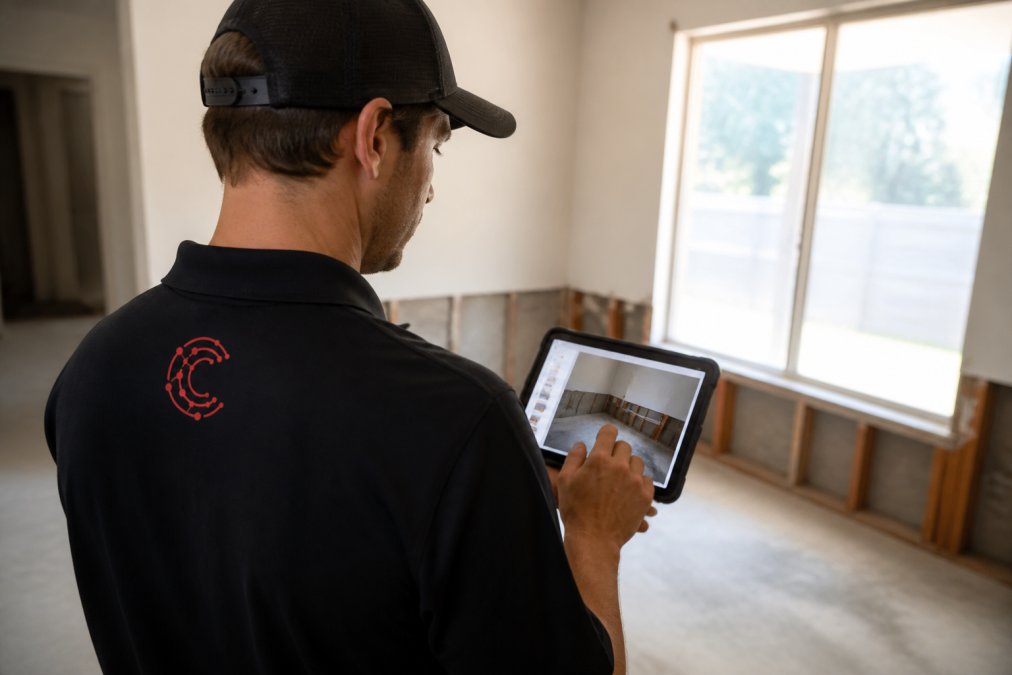
Plan for structured training per employee. This isn't a one-time event, it's ongoing reinforcement. Your field teams need hands-on training with the mobile app before they go to a real job. Office staff need to understand the full system, not just their piece of it.
Role-specific training works better than generic training. Field technicians don't need to understand billing workflows, and your controller doesn't need to know how to document damage photos. Create training modules for each role and focus on what each person actually needs to do their job.
Use your early adopters as peer trainers. Identify 2-3 people on your team who embrace change quickly. Train them deeply, then have them train others. Peer-to-peer learning often sticks better than formal training because the trainer understands the skepticism and questions that come up.
Build in time for questions. After initial training, schedule weekly 30-minute sessions for 4-6 weeks where your team can ask questions and you can address common issues. These sessions catch problems early before bad habits form.
Document everything. Create simple written guides, video tutorials, or quick-reference cards for common tasks. Your team will reference these constantly during the first few months. Make documentation searchable and easy to find, a 50-page manual nobody can navigate is useless.
Data Migration and Legacy System Integration
Data migration is where restoration software implementation gets technically complex. You're moving years of job history, customer information, financial data, and documentation from your old system into the new one. Do this wrong and you lose visibility into past projects, billing history, and customer relationships.
Before you migrate anything, audit your existing data. How much of it is actually accurate and complete? Most contractors discover that their old system contains duplicate records, incomplete information, and data entry errors they didn't know existed. Plan to spend time cleaning this data before migration, not after.
Decide what data you actually need to migrate. You probably don't need every job from five years ago in your new system. A common approach is to migrate the last 2-3 years of complete data and archive older records separately. This keeps your new system lean and focused on current and recent work.
Test your migration in a sandbox environment first. Run the migration process, verify that data came over correctly, and check that relationships between records (customers to jobs, jobs to invoices) are intact. Only after successful testing do you migrate to your live system.
Legacy system integration depends on what other tools you're currently using. If you're using accounting software, CRM tools, or estimating platforms, you'll need to decide whether to integrate them, migrate data from them, or run them parallel to your new system temporarily. Integration takes longer than a clean break, but it reduces manual data entry.
Plan for a parallel run period where you're using both your old and new systems simultaneously. Your team enters data into both systems so you can verify the new system is working correctly before you fully switch over. This is your safety net if something goes wrong.
Best AI Tools for Contractors and Implementation Speed
AI-native restoration software implementation moves faster than traditional platforms because the system learns your workflows and configures itself based on how you describe your business. Instead of spending weeks in configuration meetings, you describe your processes in plain language and the AI builds the workflows for you.
Cortex by JobDox uses AI to accelerate multiple phases of restoration software implementation. The platform's setup process asks you to describe how you currently run your business, then automatically builds workflows, job templates, and reporting structures based on that description. This cuts configuration time from weeks to days.
The speed advantage compounds over time. Cortex Copilot answers questions about jobs, crew performance, and project financials in plain English. Your team doesn't need to learn complex reporting interfaces, they ask questions the way they naturally would. This reduces training time and gets people productive faster.
AI-powered budget prediction flags potential overruns before they happen.
Phased Implementation vs. Big Bang Deployment
You have two fundamentally different approaches to rolling out restoration software implementation: phased (gradual rollout over weeks or months) or big bang (full system launch across your entire business at once).
Measuring Success and Avoiding Implementation Failure
Restoration software implementation succeeds or fails based on adoption and business impact. You can have the best system in the world, but if your team doesn't use it, you get zero value.
Frequently Asked Questions
How long does restoration software implementation typically take?
Implementation timelines vary based on your company size and system complexity. AI-native platforms designed specifically for contractors can significantly reduce this window. The key factor is how much historical data you need to migrate and how customized your workflows are. Phased rollouts typically take longer overall but minimize operational disruption.
What's the biggest challenge during restoration project management software onboarding?
Team adoption is consistently the largest hurdle. Crews accustomed to paper-based workflows or legacy systems often resist change, and pulling staff away from billable work for training cuts into revenue during implementation. Data migration from previous systems, especially incomplete or disorganized records, also creates unexpected delays. The most successful implementations address adoption through hands-on training tied to real job scenarios rather than generic software tutorials. Starting with your most tech-comfortable team members and having them champion the system internally accelerates buy-in across the rest of the crew.
How much team time gets pulled away from jobs during restoration software implementation?
Plan for team time per employee depending on their role. Administrative staff typically need more training than field crews. Scheduling training during slower project periods minimizes revenue impact. AI-powered platforms that automate workflow setup based on plain English descriptions reduce configuration time significantly compared to traditional software that requires manual setup of every field and process. White-glove onboarding services can handle much of the heavy lifting, freeing your team to focus on revenue-generating work while implementation happens in parallel.
Can you implement restoration software gradually, or do you need to switch everything at once?
Phased implementation is generally safer for operational continuity. You can deploy one department or job type first, validate that it works for your specific restoration scenarios, then expand to other areas. This approach identifies problems before they affect your entire workflow and gives teams time to build confidence with the new system. Big Bang deployments are faster but riskier, if something breaks, it affects all operations simultaneously. Most mid-sized restoration companies benefit from a phased rollout that starts with scheduling and documentation, then adds budget prediction and adjuster communication features once teams are comfortable.