 blog
blog
Adminify Alternative for Restoration Contractors in 2026
Table of Contents
- Why Restoration Contractors Outgrow Adminify
- What to Look For in Restoration Project Management Software
- Estimating, Job Costing, and Scope of Work Tools
- Mobile Access and Real-Time Field Reporting
- T&M vs. Fixed-Price Billing Support
- Insurance Documentation and Compliance Output
- Adjuster Communication and Claims Workflow
- Scalability and Multi-Crew Coordination
- Integration With Accounting and Payroll
- Customer Communication and Lead Management
- Document and Contract Generation
- Cortex by JobDox: An AI-Native Restoration Operations Platform
- Cortex vs. Adminify: Feature and Pricing Comparison
- T&M vs. Fixed Price Workflows: Why Billing Model Matters
- Compliance and Insurance Documentation Built Into Your Restoration Business Automation Tools
- Migration and Onboarding: What Switching Actually Takes
- Frequently Asked Questions
Last Updated: September 10, 2026
Why Restoration Contractors Outgrow Adminify
Adminify works fine until mitigation jobs stack up. At 15 to 25 employees, after a few large commercial losses, the generic admin tool that handled scheduling becomes the bottleneck. An adminify alternative for restoration contractors becomes necessary when your software can't handle T&M billing, insurance documentation, or real-time field updates.
This guide from Cortex by JobDox breaks down where generic admin platforms fall short and how to evaluate options without disrupting active jobs. Adminify isn't bad software, it was built for general business administration, not restoration workflows.
Where Generic Admin Tools Fall Short on Mitigation Jobs
Generic admin platforms handle task management, basic CRM, and document storage, but not the complexity of water, fire, and mold projects. The gaps:
- No T&M vs. fixed-price workflow separation. Restoration jobs often start as Time and Materials (T&M) and convert to fixed-price once the scope is agreed with the adjuster. Generic tools force you into one billing model.
- Missing insurance carrier documentation. Adjusters need specific photo documentation, moisture readings, and scope-of-work formatting. Adminify doesn't generate these.
- No job costing tied to real project phases. You can't see whether your drying phase is profitable until the job is closed.
- Limited mobile field functionality. Technicians need to log moisture readings, capture photos, and update job status from the site, not from a desktop.
The result: manual data transfers, no real-time job costs, and reduced billing recovery because documentation gaps give adjusters reasons to cut claims.
What to Look For in Restoration Project Management Software
Restoration project management software should handle estimating, job costing, scheduling, documentation, and insurance communication in one system, eliminating manual data entry and giving real-time visibility into profitability.
But "has the feature" and "the feature works on a mitigation job" are different things. What separates a platform that survives a CAT-3 loss from one that collapses is how features behave when a job converts from T&M to fixed-price mid-stream, when the adjuster requests a revised scope, or when drying logs must stand up to a carrier audit.
Here's what to evaluate, and the question to ask on every demo.
Estimating, Job Costing, and Scope of Work Tools
Your estimating software must handle both T&M and fixed-price workflows without duplicate entry, letting you build an estimate, convert it to a scope of work, and track actual costs against budget in real time.
Estimating accuracy depends on historical data. If your software doesn't track completed job costs by phase, extraction, demolition, drying, rebuild, you're guessing on every estimate. Ask the vendor: Can I pull actual labor hours and material costs from a job I closed six months ago to price a similar loss today? If the answer requires a spreadsheet export, the platform isn't built for restoration estimating.
Also ask how the system handles the line-item pricing carriers expect. Most adjusters work from a standardized unit-cost database, and estimates that don't map to it get kicked back. A platform that generates carrier-recognizable line items saves hours per claim.
Mobile Access and Real-Time Field Reporting
Field technicians need to capture damage assessments, photos, and moisture readings on site. An app that works offline and syncs when connectivity returns is non-negotiable, basements, crawlspaces, and rural losses rarely have reliable signal.
Real-time field reporting lets project managers see progress as it happens, catching budget overruns early.
The evaluation question is narrower than most buyers realize: When a technician logs a moisture reading offline, does it sync with a timestamp reflecting when the reading was taken, or when the device reconnected? Timestamp integrity matters because drying logs are evidence, a log showing all readings at 4:47 p.m. when the tech was on site at 9 a.m. is one an adjuster can challenge.
T&M vs. Fixed-Price Billing Support
This is the most important capability to evaluate, and the one most buyers forget to test. Restoration jobs frequently start as T&M during emergency response and convert to fixed-price once the adjuster approves the scope. Your software must track both models on the same job without re-entering data or opening a second project file.
Ask the vendor to walk through the conversion live: Show me a job that started T&M, converted to fixed-price at day four, and produced a single invoice reflecting both phases. If the demo requires a workaround, you'll do that workaround on every job for the life of the contract.
Insurance Documentation and Compliance Output
Adjusters and carriers expect consistent documentation: timestamped moisture readings, photo evidence organized by room and phase, and a scope of work formatted to industry standards. The platform should generate this automatically from field data capture, not as a separate admin step.
Ask how the system handles IICRC-aligned drying documentation. The IICRC S500 standard is what most carriers and adjusters use to evaluate whether a drying protocol was appropriate. Software that produces logs, psychrometric readings, and equipment placement records mapping to that standard gives your claim defensibility a generic PDF export does not.
Adjuster Communication and Claims Workflow
Claims processing is where contractors either recover their margin or watch it erode. The platform should centralize adjuster correspondence, scope revisions, and supplement requests in one thread tied to the job, not scattered across email, text, and a shared drive.
Ask: When an adjuster requests a scope revision, does the system version the original scope, track what changed, and preserve the audit trail? Supplement recovery depends on showing what was originally approved, what was added, and why.
Scalability and Multi-Crew Coordination
A platform that works for a three-truck operation may fall apart at fifteen crews running jobs across multiple states. Evaluate crew assignment, equipment tracking, and role-based permissions as headcount grows.
The specific question: Can I see, on one screen, which crews are assigned to which jobs today, what equipment is deployed where, and which jobs are over budget? If that view requires three separate reports, the platform won't scale with you.
Integration With Accounting and Payroll
Your restoration platform doesn't need to replace QuickBooks or your payroll provider, but it must feed them clean data. Ask: Does the platform push labor hours, material costs, and equipment charges to my general ledger by job code, or does my bookkeeper re-key everything?
For contractors running certified payroll on public-sector work, the question sharpens. Certified payroll requires per-employee, per-day hour breakdowns by classification. A platform that captures field time but can't export it in certified payroll format leaves your admin team doing that work manually.
Customer Communication and Lead Management
Restoration work is referral-driven. A significant share of residential jobs comes from repeat customers, property managers, and insurance agents. Your platform should track those relationships, not just jobs.
Evaluate whether the system captures lead source, automates post-job follow-up, and generates review or referral prompts at the right moment. Contractors who systematize follow-up report stronger referral pipelines than those relying on memory.
Document and Contract Generation
Every restoration job generates paperwork: work authorization, scope of work, change orders, certificates of completion, and lien waivers. The platform should generate these from job data, not hand-filled templates.
Ask whether the system supports e-signature capture at the point of authorization, ideally in the field, on the customer's device. A work authorization signed on site during emergency response is far more defensible than one chased by email three days later.
Cortex by JobDox: An AI-Native Restoration Operations Platform
Cortex by JobDox is an AI-native operations platform built specifically for restoration and service contractors. Unlike generic admin tools adapted for field service, Cortex was designed from the ground up for mitigation documentation, insurance workflows, and contractor operations.
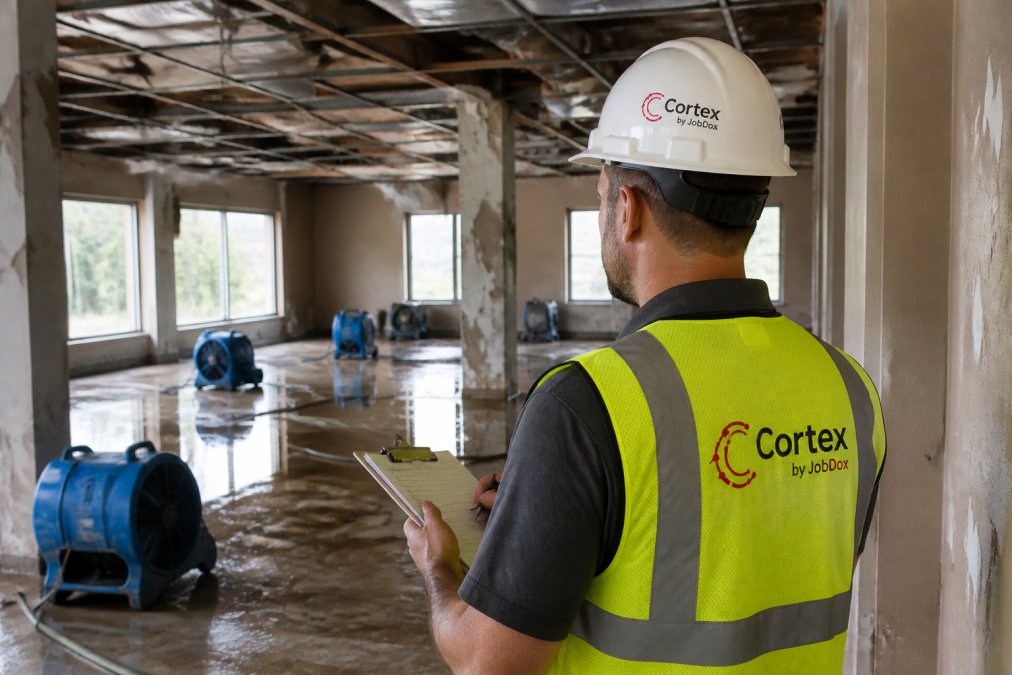
The platform automates documentation and workflows, predicts project budgets, and flags overruns before they happen. Cortex Copilot answers job, crew, and financial questions in plain English, so you don't dig through reports to find where a project stands.
Cortex drafts adjuster responses to help recover more money from claims, and converts won jobs into search-optimized local landing pages automatically, generating a steady referral pipeline without extra marketing effort.
Setup is faster than most platforms: Cortex builds workflows from plain English descriptions, with optional white-glove onboarding for hands-on migration help.
Cortex vs. Adminify: Feature and Pricing Comparison
The key difference between Cortex and Adminify is specialization. Adminify handles general business administration; Cortex handles restoration-specific workflows including T&M billing, insurance documentation, and AI-powered budget prediction.
| Feature | Cortex by JobDox | Adminify |
|---|---|---|
| Built for restoration | Yes, purpose-built | No, general admin |
| T&M vs. fixed-price workflows | Native support | Not supported |
| AI budget prediction | Yes, flags overruns | No |
| Adjuster communication | Automated drafting | Manual |
| Mobile field app | Real-time sync | Limited |
| Landing page generation | Automatic | No |
| Free trial | Yes | Varies |
Cortex offers a free trial and a free plan. Pricing scales with team size, so growing from 15 to 40 employees doesn't require switching platforms. Check the Cortex by JobDox pricing page for current rates.
T&M vs. Fixed Price Workflows: Why Billing Model Matters
Time and Materials billing charges based on actual labor hours and materials used, while fixed-price billing locks in a set amount before work begins. Restoration jobs frequently start as T&M during emergency response and convert to fixed-price once the adjuster approves the scope.
That conversion is where generic tools fail. The mechanics of running both billing models on a single job are the real evaluation criteria.
Why Restoration Jobs Start as T&M
When you get the 2 a.m. call for a burst pipe, nobody knows the scope yet. The adjuster hasn't inspected, moisture readings haven't been taken, and hidden damage behind the drywall is unknown. You can't price a fixed-scope job when the scope is undefined.
So the emergency response phase runs T&M: you bill for crew hours on extraction, equipment deployed, and materials consumed. This protects you from underpricing a job whose scope is still expanding. Once the adjuster agrees on a scope of work, the job typically converts to fixed-price for drying and rebuild, and work outside that scope requires a change order or supplement.
The Conversion Problem Generic Tools Cannot Solve
Here's the mechanism most software gets wrong. A single restoration job can have three or more billing phases:
- Emergency T&M phase, billed hourly plus materials, often with after-hours and emergency rates
- Drying phase, sometimes T&M (equipment days), sometimes fixed-price per the agreed scope
- Rebuild phase, almost always fixed-price against the approved scope
If your software treats each job as a single billing model, you face two bad options: run the whole job as T&M and lose fixed-price predictability on the rebuild, or run it as fixed-price from day one and eat the cost of scope expansion during emergency response.
The right platform tracks each phase independently, applies the correct billing model, and produces a single consolidated invoice showing the customer and adjuster exactly how each phase was billed. Ask any vendor to demonstrate this on a live job record before you sign.
Phase-Level Cost Tracking Is the Prerequisite
You can't bill T&M accurately without phase-level cost tracking. That means:
- Labor hours captured by employee, by job, by phase, with the correct pay rate applied (including overtime and emergency rates)
- Materials logged at the point of use, tied to the job and phase, with receipts attached
- Equipment tracked by deployment day, with daily rental rates applied automatically
A common pattern among contractors who outgrow generic admin tools: labor in one system, materials in a spreadsheet, equipment on a whiteboard. Reconciling those three sources into a T&M invoice takes hours per job and introduces errors adjusters catch.
A restoration-specific platform captures all three in one place, at the moment of activity, so the T&M invoice generates itself from field data.
Documentation That Makes T&M Billing Defensible
T&M billing is more audit-exposed than fixed-price because the customer and carrier pay actual costs, not an agreed lump sum. Every hour and material line is subject to challenge.
The documentation that defends a T&M invoice includes:
- Daily logs showing crew on site, hours worked, and tasks performed
- Photo evidence timestamped and organized by date and area
- Moisture and psychrometric readings captured at consistent intervals, with equipment placement documented
- Material receipts attached to the specific job and phase where they were consumed
- Equipment deployment records showing what was on site, for how many days, at what rate
When this documentation generates automatically from field data capture, it's complete and consistent. When assembled manually after the fact, gaps appear, and gaps are what adjusters use to reduce T&M invoices.
Compliance Considerations for Insurance-Funded Work
Restoration contractors on insurance-funded jobs face documentation requirements beyond what a general contractor encounters. Carriers and adjusters expect records mapping to industry standards for drying and remediation, retrievable years after the job closes if a claim is disputed.
According to IRS guidance on contractor classification, proper documentation of labor and materials is essential for tax compliance. For restoration contractors, the same records that satisfy tax requirements also serve as the cost substantiation behind T&M invoices, which is why capturing them at the source, in the field, matters more than most contractors realize until their first audit.
A platform built for restoration keeps these records tied to the job, phase, and billing model, so when a carrier requests backup on a T&M invoice from eighteen months ago, you can produce it in minutes rather than days.
What to Ask Before You Buy
When you evaluate any Adminify alternative, run these questions against the demo:
- Can a single job carry both T&M and fixed-price phases, with the correct model applied to each?
- Does the system capture labor, materials, and equipment at the phase level, in the field, at the moment of activity?
- Does the T&M invoice generate from that captured data, or does someone have to build it manually?
- Are daily logs, moisture readings, and equipment records retained and retrievable by job for at least the length of your state's statute of limitations on construction claims?
- When a job converts from T&M to fixed-price, does the system preserve the T&M history for the emergency phase, or does it overwrite it?
If a vendor cannot answer all five clearly, the platform will cost you money on every converted job.
Compliance and Insurance Documentation Built Into Your Restoration Business Automation Tools
Insurance carrier requirements vary, but most adjusters expect consistent documentation: timestamped moisture readings, photo evidence organized by room and phase, and scope of work formatted to industry standards. Restoration business automation tools should generate this automatically.
Missing documentation is the biggest reason claims get reduced. When technicians capture data in the field and it flows directly into the claim file, you eliminate the gaps that give adjusters reasons to cut your recovery.
Digital signatures, automated follow-ups, and client portal access for adjusters simplify the claims workflow.
Migration and Onboarding: What Switching Actually Takes
Migration friction is why most contractors stick with inadequate software. The fear of pulling your team off jobs to learn a new system is legitimate, but the cost of staying on the wrong platform compounds monthly.
A realistic migration timeline looks like this:
- Week 1: Data export from your current system, account setup, workflow configuration
- Week 2: Team training on core features, parallel running with existing processes
- Week 3-4: Full cutover, historical data import, process refinement
The key is choosing a platform with automated setup. Cortex builds workflows from plain English descriptions, cutting configuration time significantly compared to systems requiring manual setup for every workflow.
White-glove onboarding is available for guided migration, useful if you're switching during a busy season or have a large team to train.
The challenge for growing restoration companies is finding software that scales without a complete workflow overhaul. Cortex by JobDox addresses this with an AI-native platform that automates documentation, predicts project budgets, drafts adjuster responses, and generates referral pipelines from completed jobs. If you're evaluating an adminify alternative, start with the platform built for restoration work. Get started with Cortex by JobDox and see how automated operations change your margins.
Frequently Asked Questions
Is there a better alternative to Adminify for small restoration businesses?
For restoration crews under 50 employees, the better fit is software built around mitigation and reconstruction workflows rather than generic admin. Look for tools that handle damage assessment, scope of work documentation, insurance carrier requirements, and adjuster communication out of the box. Cortex by JobDox is one option: it is an AI-native platform that automates documentation, predicts project budgets, and drafts adjuster responses, with a free trial so you can test it against your current setup before committing.
What features should restoration contractors look for in management software?
Prioritize estimating and job costing, project scheduling, mobile field app access, and claims processing support. Your team also needs inventory tracking, invoice generation, digital signatures, and a client portal for homeowners. If you bill time and materials, confirm the platform supports T&M workflows separately from fixed-price jobs. Integration with accounting software matters too.
How does AI-native software improve restoration project documentation?
An AI-native restoration operations platform captures photos, notes, and moisture readings as technicians work, then organizes them into carrier-ready reports. Instead of an admin assistant manually assembling documentation after the fact, the system flags missing items in real time. Some platforms, including Cortex by JobDox, also predict budget overruns early and draft adjuster responses, which cuts the back-and-forth that delays claims processing and final payment.
How long does it take to migrate from Adminify to a restoration-specific platform?
Migration timelines depend on how much historical job data you move and how many workflows you customize. Platforms with automated setup, where you describe your process in plain English and the system builds the workflow, cut onboarding from weeks to days. Ask any vendor about data migration support, training time for field techs, and whether white-glove onboarding is available. Test with a free trial on live jobs before canceling your current tool.