 blog
Jobber vs ServiceTitan for Restoration: 2026 Guide
Last Updated: October 30, 2026
Quick Summary
The jobber vs servicetitan choice for restoration comes down to size, not restoration fit: Jobber suits small crews at $99-$139 per month for three technicians, while ServiceTitan targets $1M+ operations with 15+ technicians at $735-$1,500+ per month. Neither platform was built for restoration claims, so both leave insurance workflows to workarounds.
- Jobber generally fits crews below $750,000 to $2 million in annual revenue, per publisher estimates.
- ServiceTitan is built for operations doing $1 million or more with 15 or more technicians.
- Neither platform generates carrier-format restoration estimates or builds a claim file natively.
- The mitigation-to-rebuild handoff usually requires creating a separate job and manually cross-referencing the claim number.
- Run a test job end to end, including an after-hours call and a scope change, before choosing either platform.
Table of Contents
- Jobber vs ServiceTitan for Restoration: The Short Answer
- Pricing and Total Cost of Ownership Compared
- Best Fit by Company Size and Team Capacity
- Feature Depth: Scheduling, Dispatching, and Invoicing
- Where Both Fall Short: Restoration Project Management Software Gaps
- Insurance Claims and Estimating: Restoration Software for Insurance Claims
- Job Costing and Profitability: Restoration Job Costing Software Requirements
- Moving Off Spreadsheets: Alternatives to Manual Restoration Project Tracking
- Frequently Asked Questions
Jobber vs ServiceTitan for Restoration: The Short Answer
Jobber and ServiceTitan are general field service management platforms, not restoration-specific tools.
Here is the uncomfortable truth most comparisons skip: neither platform was built for water damage restoration, fire damage restoration, or insurance-driven work orders.
Reported pricing puts Jobber at $99 to $139 per month for three technicians, against $735 to $1,500+ per month for ServiceTitan, according to a 2026 pool service comparison of Jobber vs ServiceTitan. That gap frames the entire decision.
| Factor | Jobber | ServiceTitan |
|---|---|---|
| Reported price (3 techs) | $99-$139/month | $735-$1,500+/month |
| Best fit | Crews under $750K-$2M revenue | $1M+ revenue, 15+ technicians |
| Strength | Simplicity, fast setup | Depth, reporting, dispatch control |
| Restoration-specific workflows | Limited | Limited |
| Insurance claim handling | Not purpose-built | Not purpose-built |
US Tech Automations' 2026 construction software comparison draws the same size line: Jobber generally fits crews below $750,000 to $2 million in annual revenue, while ServiceTitan is built for operations doing $1 million or more with 15 or more technicians. Those are publisher estimates, not eligibility rules, but they track with how each product is marketed.
If you are weighing Jobber against a restoration-focused platform, our Jobber vs. AI Platforms for Restoration Job Costs comparison covers insurance estimating and field operations side by side.
Pricing and Total Cost of Ownership Compared
Subscription price is the number contractors quote. Total cost of ownership is the number that actually hits the P&L.
Competitor subscription pricing varies with plan and team size, so confirm current figures directly with each vendor.
Watch out: the quoted monthly figures rarely include onboarding fees, data migration, or payment processing rates. Ask for a full first-year total before signing.
For restoration teams, add one more line item: the labor cost of workarounds.
Best Fit by Company Size and Team Capacity
Company size is the cleanest filter between these two platforms. A 6-truck restoration operation and a 40-technician outfit need different software, and picking the wrong tier wastes money either way.
- 1-10 technicians: Jobber fits. Simple workflows, quick deployment, lower monthly cost.
- 10-15 technicians: The gray zone. Both platforms can work, but evaluate reporting needs carefully.
- 15+ technicians, $1M+ revenue: ServiceTitan's dispatch depth and dashboards start to justify the price.
- Multi-location restoration firms: ServiceTitan handles scale better, though neither tool manages claim documentation natively.
, according to a 2026 Jobber vs ServiceTitan pool service comparison. That volume reflects its strength with growing companies, not restoration-specific capability.
A common mistake is buying for the company you plan to become in five years. Software you cannot operate today slows your field team now.
Feature Depth: Scheduling, Dispatching, and Invoicing
Both platforms handle the basics well. Scheduling, dispatching, work orders, quotes, invoices, and payment processing are table stakes. The differences show up when you push each platform into restoration conditions: after-hours emergency response, multi-day drying projects, and jobs that change scope mid-stream.
Scheduling and dispatch under emergency load
A water damage call at 11 p.m. is not a normal service appointment. It requires an on-call rotation, a rapid response window, and a dispatch board that can absorb an unscheduled job without breaking the next day's route.
Where both platforms show strain is the mitigation-to-rebuild handoff. A single water loss often produces two linked jobs, emergency mitigation and later reconstruction, with different crews, billing, and a shared claim file.
Estimates, quotes, and invoicing
That speed matters for residential mitigation work where the homeowner is standing in a wet basement and wants a number.
Neither platform is built around carrier-format estimates. Restoration estimates typically follow line-item formats tied to estimating standards used by insurers and adjusters, and neither Jobber nor ServiceTitan generates that structure natively. Teams either build the estimate in a restoration estimating tool and re-key a summary into the field service platform, or invoice from the field service platform and reconcile against the claim file elsewhere.
Mobile app and field access
Restoration crews work in wet, dusty, sometimes unpowered buildings with unreliable connectivity. The mobile app has to work offline and capture evidence that will hold up in a claim file.
- Jobber: clean mobile app, fast quote-to-invoice flow, photo attachment, limited customization of forms and fields.
- ServiceTitan: richer mobile feature set, stronger analytics, configurable forms, steeper learning curve and more training time before a technician is productive.
Reporting and business performance
For restoration specifically, the reporting question is whether the platform can show gross margin per claim, cycle time from emergency response to final invoice, and supplement recovery rate. Neither platform reports on those natively; both require exporting data and building the analysis elsewhere.
Where Both Fall Short: Restoration Project Management Software Gaps
Restoration work breaks the standard field service model.
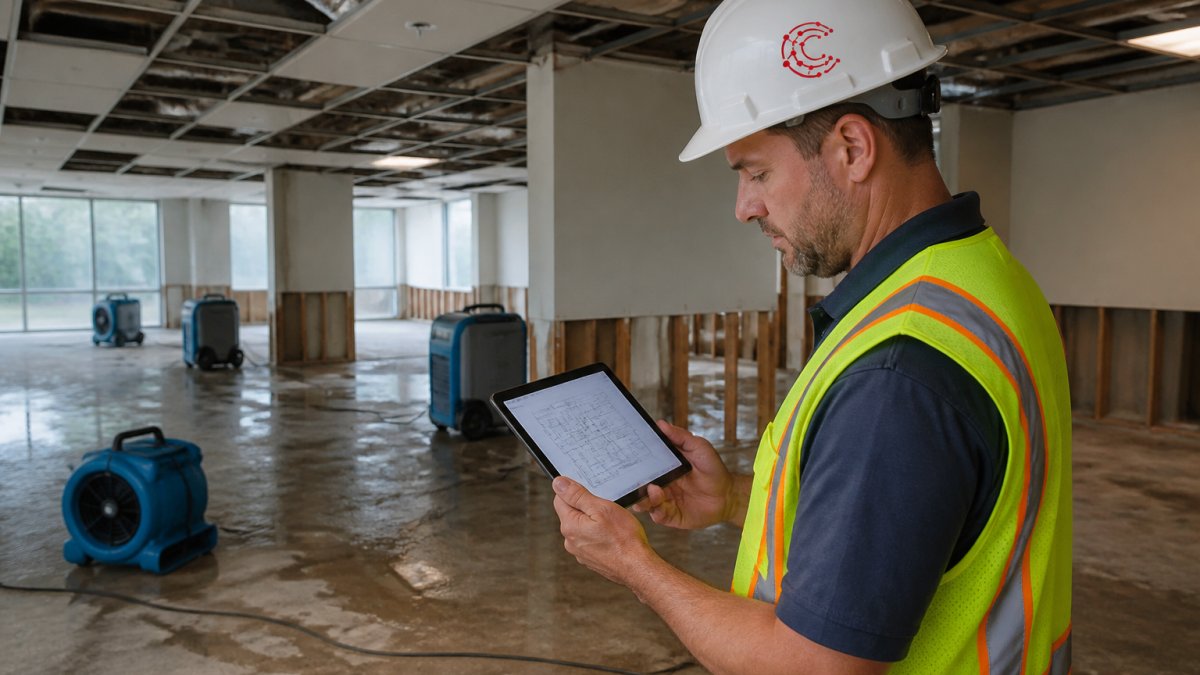
A Roofing Software Guide comparison of Jobber vs ServiceTitan notes that Jobber's feature set is trade-agnostic and that ServiceTitan's marketing leans heavily on plumbing and HVAC case studies.
That leaves restoration contractors stitching together workarounds: spreadsheets for drying logs, email threads for adjuster updates, separate folders for site photos.
If you want to see what purpose-built restoration project management software actually covers, our 2026 restoration project management software review maps the feature gaps in detail.
Insurance Claims and Estimating: Restoration Software for Insurance Claims
Insurance claims are where general platforms show their limits, and this is the area most Jobber vs ServiceTitan comparisons skip entirely. Restoration estimates follow carrier formats, require line-item documentation, and depend on evidence captured at the job site. Jobber and ServiceTitan generate quotes and invoices, but neither builds a claim file.
What a claim file actually contains
A defensible claim file for a water loss typically includes:
- An intake record with the date and time of loss, cause of loss, and initial moisture readings
- A scope of work with line-item pricing tied to the drying plan
- Daily monitoring logs with moisture content, temperature, and relative humidity readings, plus equipment placement records
- Photo documentation at intake, during drying, and at completion
- Signed work authorizations and, where required, certificates of satisfaction
- Change orders and supplements as the scope evolves
- Correspondence with the adjuster, including approvals and denials
In practice, restoration firms run a parallel system, spreadsheets, shared drives, or a restoration-specific documentation tool, and the field service platform becomes the scheduling and billing layer.
The estimating and supplement workflow
Restoration estimating is iterative. The initial scope is written from what the technician can see on day one; the final scope reflects what the drying process revealed. Supplements are the norm, not the exception, and the speed of supplement submission directly affects cash flow.
The workflow most restoration firms need looks like this:
- Capture moisture readings and photos at intake
- Build a scope of work with line-item pricing
- Submit documentation to the adjuster
- Track approvals, supplements, and change orders
- Reconcile final billing against the approved scope
ServiceTitan's job-costing reports help with step five. Jobber's simplicity helps with steps one and two. Neither closes the loop on adjuster communication, which is where recovery rates rise or fall.
Evidence capture and compliance
Evidence capture is the gap that matters most and the one competitors rarely address. Moisture readings, psychrometric data, equipment run times, and signed authorizations are not optional paperwork; they are the record that supports the claim and defends against a dispute months later.
Neither Jobber nor ServiceTitan treats evidence capture as a first-class workflow. Photos and attachments exist, but they are not time-stamped to a drying plan, not structured for carrier review, and not linked to the line items they support.
Integrations with estimating and carrier systems
Restoration teams typically run an estimating tool built for the trade, an accounting system, a payment processor, and sometimes a third-party administrator portal for carrier work.
- Accounting: both platforms integrate with common small-business accounting systems; ServiceTitan's integrations are deeper and more configurable.
- Estimating: neither platform integrates natively with restoration estimating tools in a way that keeps line items synchronized; the common workaround is export and re-key.
- Payments: both offer payment processing, with rates that should be quoted in writing before signing.
- Carrier and TPA portals: neither platform connects to insurer or third-party administrator systems; claim submission and status tracking happen outside the platform.
That integration gap is the practical reason restoration firms end up with a patchwork of tools. The field service platform handles scheduling and billing well, but the claim workflow lives somewhere else.
For a deeper walkthrough on recovering overhead and profit on claims, read our guide on how to recover restoration overhead and profit.
Job Costing and Profitability: Restoration Job Costing Software Requirements
Restoration job costing software must track labor, materials, equipment, and subcontractor costs against a live budget, then flag overruns before the job closes. Most platforms report costs after the fact. That is accounting, not cost control.
ServiceTitan's comparison materials claim advantages in job-costing reports and profitability metrics, per ServiceTitan's own comparison page. Treat vendor claims as claims, not independent findings.
What restoration controllers actually need:
- Real-time labor tracking by crew and job phase
- Materials and equipment allocation per work order
- Budget versus actual variance alerts
- Gross profit margin by job type and adjuster
For the math behind job-level margins, our guide on how to calculate gross profit margin on restoration jobs walks through the formula with worked examples.
Moving Off Spreadsheets: Alternatives to Manual Restoration Project Tracking
Spreadsheets are the real competitor. Most restoration firms under 50 employees still track projects in Excel or Google Sheets because generic platforms do not fit the claim workflow.
That calculus has changed. Some AI-native platforms build workflows from plain-English descriptions. Cortex by JobDox automates documentation, predicts project budgets, and drafts adjuster responses.
Here is how we would evaluate any alternative to manual tracking:
- Does it capture job-site evidence in a structured, claim-ready format?
- Can it flag budget overruns before the job closes?
- Does it handle adjuster communication inside the same system?
- How long does implementation take, and who does the data migration?
- What does the first-year total cost look like, all fees included?
If you are ready to compare real-time options, our roundup of the best real time job costing software for contractors covers what each tool handles well.
Frequently Asked Questions
Is Jobber or ServiceTitan better for a restoration company?
It depends on size and workflow complexity. Jobber is generally positioned for smaller, simpler operations. ServiceTitan is generally positioned for larger operations with more complex dispatch and reporting needs. Neither is purpose-built for restoration, so weigh how each handles documentation, insurance claims, and job costing before deciding.
Can Jobber manage restoration projects and insurance documentation?
Jobber handles core field service management tasks: scheduling, dispatching, quotes, invoices, and customer communication. If adjuster communication and evidence capture are central to your operation, plan on supplementing it or evaluating restoration-focused restoration project management software instead.
How do Jobber and ServiceTitan compare on pricing?
Competitor subscription pricing varies with plan and team size, so confirm current pricing directly with each vendor. Request current pricing directly from each vendor and factor in implementation, training, and migration costs before committing.
What features should restoration companies look for in field service software?
Prioritize restoration-specific workflows: photo and moisture documentation tied to each job, insurance claim and estimate tracking, job costing with labor and materials, change orders, and compliance evidence capture. General field service management features like scheduling, dispatching, and invoicing matter, but they are table stakes. Ask vendors to demonstrate an actual water damage or fire damage restoration job from intake through final invoice before you sign.