
 how-to
Automate Restoration Documentation to Speed Insurance Payments
Table of Contents
- Why Restoration Documentation Delays Insurance Payments
- Restoration Claim Documentation Best Practices
- Insurance Adjuster Documentation Requirements
- Choosing Restoration Project Management Automation Tools
- Step-by-Step: Setting Up Automated Documentation Workflows
- Common Mistakes That Slow Down Claims Settlement
- Measuring the Impact: Faster Payments and Reduced Cycle Times
- Conclusion
- Frequently Asked Questions
Last Updated: October 2, 2026
Why Restoration Documentation Delays Insurance Payments
Insurance claim delays cost restoration companies thousands in lost revenue every month.
Most restoration firms still rely on email chains, scattered photos, and handwritten notes.
According to the National Association of Insurance Commissioners, claim processing timelines depend heavily on documentation quality and completeness.
Here's what happens: A homeowner's water damage claim lands on an adjuster's desk.
The fix isn't hiring more admin staff. It's automating how you capture, organize, and deliver documentation so adjusters get exactly what they need the first time.
When you automate restoration documentation, you eliminate manual steps that slow everything down. Your team captures data consistently.
Restoration Claim Documentation Best Practices
Strong documentation practices are the foundation of faster payments. Without them, even the best software won't help.
Start with consistency. Every job should follow the same documentation process. Same photo angles. Same file naming. Same data fields. This consistency makes your documentation instantly recognizable to adjusters and easier for your team to execute under pressure.
Standardized Naming Conventions for Digital Files
File names matter more than most contractors realize. Adjusters review hundreds of claims monthly.
A standardized naming convention saves time for everyone. Instead of "IMG_2847.jpg" or "water_damage_pic.jpg", use a system that tells the story: [JobID]_[LocationType]_[DamageType]_[Date].jpg
Example: JOB-4521_Basement_Drywall-Wet_10-02-2026.jpg
This format includes:
- Job ID for quick reference
- Location in the home
- Type of damage documented
- Date captured
When adjusters open your submission, they immediately understand what they're looking at. No guessing.
Apply the same logic to all documents, estimates, scope sheets, mitigation reports, moisture logs. Use consistent prefixes: JOB-4521_Estimate, JOB-4521_MoistureLog, JOB-4521_ScopeOfWork.
Faster review means faster approval and payment.
Photo Documentation and Scope of Work
Photos are your primary evidence. They prove the damage exists and justify your scope of work.
Take photos that answer these questions:
- What is the damage?
- How extensive is it?
- What caused it?
- What needs to be repaired?
Include wide shots showing the overall damage area, medium shots showing specific damage, and close-ups showing details.
Your scope of work ties photos to costs. It says "we removed 400 sq ft of wet drywall" and shows photos of that drywall being removed.
The second example connects to specific photos and moisture readings. An adjuster can verify every line item.
Insurance Adjuster Documentation Requirements
Adjusters have specific needs. Understanding them changes how you document everything.
Most adjusters need:
- Initial damage assessment photos
- Moisture readings at key locations
- Detailed scope of work with measurements
- Itemized cost estimates
- Before, during, and after documentation
- Proof of mitigation steps taken
- Digital audit trail showing when work was done
They also need it organized logically. Not scattered across emails and text messages.
The best approach is a single, organized submission package.
When you present information this way, adjusters process claims faster. They don't hunt for missing documents.
Cortex by JobDox automates this organization. Your team captures documentation on mobile devices in the field.
Choosing Restoration Project Management Automation Tools
Not all software is built for restoration companies. Generic project management tools miss critical features you need.
The right tool should handle:
- Mobile photo capture and organization
- Automatic file naming and organization
- Real-time synchronization across your team
- Integration with accounting systems
- Automated communication with adjusters
- Invoice tracking and payment reminders
Key Features for Claims Processing and Payment Recovery
Look for tools that automate the claims process, not just general project management.
Mobile-first photo capture. Your team works in wet, muddy conditions.
Real-time synchronization. When one team member uploads documentation, everyone sees it instantly.
Adjuster communication. The tool should help you draft responses to adjuster questions and track what you've submitted.
Payment tracking. You need visibility into which invoices have been submitted, which are pending approval, and which are overdue.
Integration with Accounting Systems and Estimating Platforms
Your documentation software shouldn't exist in isolation. It needs to connect with the systems you already use.
Integration with accounting software means invoice data flows automatically from your documentation platform to your accounting system.
Integration with estimating platforms means you can pull cost data directly into your scope of work.
Cortex by JobDox integrates with common accounting and estimating platforms. Documentation flows from field to office to accounting without manual handoffs.
Step-by-Step: Setting Up Automated Documentation Workflows
Here's how to implement automation in your restoration company.
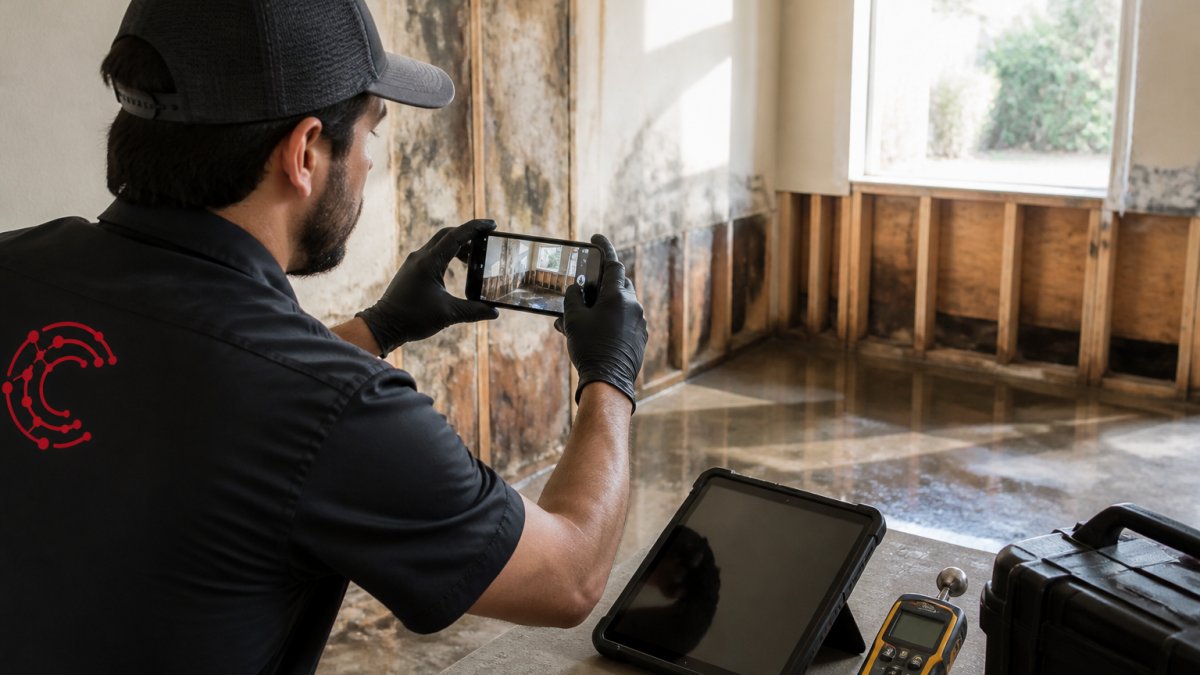
Step 1: Define Your Documentation Requirements
Before you choose software, define what documentation you actually need.
Walk through a typical job:
- What photos do you take?
- What measurements do you record?
- What moisture readings do you capture?
- What forms do you fill out?
- What information does your accounting team need?
- What do adjusters ask for?
Write this down. This is your documentation standard. Every job should follow it.
Example standard:
- Initial damage assessment: 5 wide photos + 5 detail photos
- Moisture readings: 8 locations, recorded daily for first 5 days
- Scope of work: itemized by room and damage type
- Cost estimate: tied to scope items
- Mitigation report: what was done to prevent further damage
- Daily progress photos: 3 photos per day showing work completed
Once you have your standard, you can choose software that supports it.
Step 2: Implement Field Capture and Real-Time Synchronization
Get your team capturing documentation consistently from day one.
Set up mobile devices with your chosen documentation platform. Train your crew on the standard you defined. Show them the photo angles you want.
Real-time synchronization means photos and data appear in your office system instantly. Your admin staff can start organizing and preparing submissions while crews work. No waiting for USB drives or email attachments.
When your crew finishes a job, most documentation is already organized and ready to submit.
Step 3: Enable Human-in-the-Loop Verification
Automation is powerful, but it needs human oversight.
Before you submit documentation to an adjuster, review it. Check that photos are clear. Verify measurements are accurate. Confirm the scope of work matches the damage shown in photos.
This human-in-the-loop verification catches errors before adjusters see them. It prevents revision requests. It protects your reputation.
Some platforms flag potential issues automatically. Missing photos for a documented moisture reading. Measurements that don't match scope items. Photos that are blurry or poorly lit.
Step 4: Automate Adjuster Communication and Invoice Tracking
Once documentation is verified, automate how you submit it and track payment.
Set up templates for adjuster emails. Include all required documentation. Use consistent formatting. Make it easy for adjusters to approve and process your claim.
Track when you submit documentation. Track when adjusters request revisions. Track when invoices are approved. Set automated reminders for invoices that are overdue.
Some platforms draft adjuster responses for you.
Common Mistakes That Slow Down Claims Settlement
Avoid these mistakes and you'll see faster payments.
Incomplete scope of work. A scope that just lists items without measurements or justification raises questions.
Missing documentation. You submit photos but no moisture readings. You submit estimates but no scope of work.
Delayed submissions. You wait days after a job to gather documentation and submit it.
Manual data entry. Your office staff manually types information from photos into forms. Errors creep in.
No follow-up system. You submit documentation and hope for the best.
Measuring the Impact: Faster Payments and Reduced Cycle Times
How do you know if automation is working?
Track these metrics before and after implementation:
- Days from job completion to documentation submission
- Days from submission to adjuster approval
- Days from approval to payment received
- Number of revision requests per claim
- Percentage of claims approved on first submission
- Average invoice amount recovered per claim
Most restoration companies see improvements within 30 days of implementing automated documentation workflows.
Typical improvements:
- Submission timeline: from 5-7 days to 1-2 days
- Approval timeline: from 10-14 days to 5-7 days
- First-submission approval rate: from 60-70% to 85-95%
- Revision requests: from 2-3 per claim to 0-1 per claim
These improvements compound. Faster submissions mean faster approvals. Fewer revisions mean less rework. Faster approvals mean faster payments. Your cash flow improves.
Cortex by JobDox helps restoration companies automate this entire process. Your team captures documentation consistently. The platform organizes it automatically. You review and submit in minutes. Adjusters get exactly what they need. Payments arrive faster.
Conclusion
Slow insurance payments aren't inevitable. They're the result of disorganized documentation and manual processes.
When you automate restoration documentation, you eliminate delays. Your team captures consistent, complete documentation. Adjusters receive it organized and ready to process. Payments arrive faster.
Start by defining your documentation standard. Implement mobile capture with real-time synchronization. Add human verification before submission. Automate adjuster communication and payment tracking.
Cortex by JobDox makes this simple. The platform automates documentation workflows, predicts project budgets, and helps you draft stronger adjuster responses to recover more money.
Start your 14-day free trial and see how automated documentation speeds up your insurance payments.
Frequently Asked Questions
What documentation do insurance adjusters require for restoration claims?
Adjusters expect detailed photo documentation of damage from multiple angles, moisture readings with timestamps, scope of work estimates, mitigation reports, and a clear digital audit trail showing when work was completed. Standardized file naming and organized supplemental documentation speed up review. Missing or disorganized files trigger supplement requests, extending payment cycles by weeks.
How does automating restoration documentation reduce payment delays?
Automation captures field data in real time, reduces transcription errors, enforces compliance with adjuster requirements, and generates organized submissions automatically. Real-time synchronization ensures adjusters receive complete, properly formatted documentation on the first submission rather than through multiple supplement cycles. This directly reduces the payment cycle for many claims.
Can restoration project management automation tools integrate with existing accounting systems?
Yes. Modern restoration automation platforms integrate with QuickBooks, Xero, and other accounting software to sync invoice data, track accounts receivable, and flag overdue payments automatically. Integration eliminates manual data entry between systems, reduces billing errors, and gives you real-time visibility into which claims are paid and which are stuck in supplement cycles.
What is the human-in-the-loop verification process and why does it matter?
Human-in-the-loop verification means AI analyzes documentation and flags potential issues (missing photos, incomplete scope, data inconsistencies), but a team member reviews and approves before submission to the adjuster. This catches errors before they reach adjusters, preventing supplement requests and payment delays while maintaining the speed advantage of automation.