
 How-to
How to Standardize Field Team Communication for Restoration
Quick Summary
Field team communication breaks down on restoration jobs when every crew reports differently. Standardizing it takes a short written SOP, reusable report templates, a fixed update rhythm, and tools that enforce the format. Reports then give the office consistent data to act on.
- Keep the communication SOP to two pages covering who reports, what, how and when.
- Use four templates: daily update, scope change alert, adjuster photo packet and incident escalation.
- Send end-of-day updates using the daily template, plus immediate alerts for scope changes and safety issues.
- Lock required fields like room names and phase values so triggers fire correctly.
- Audit the first ten submissions against the template before trusting automated triggers.
Table of Contents
- Why Field Team Communication Breaks Down on Restoration Jobs
- Step 1: Write a Restoration Communication SOP
- Step 2: Build Reusable Restoration Communication Templates
- Step 3: Set a Fixed Rhythm for Restoration Project Updates
- Step 4: Choose Field Service Communication Tools That Enforce the Standard
- Step 5: Protocols for Emergency and Crisis Phases on a Job
- Step 6: Document Adjuster and Customer Conversations Consistently
- Putting the Standard Into Practice on Your Next Job
- Frequently Asked Questions
Why Field Team Communication Breaks Down on Restoration Jobs
Field team communication breaks down on restoration jobs because every crew writes updates differently. Cost tracking gaps can make coordination problems worse, and understand the critical differences between job costing and estimating explains how the two connect. One tech sends a text. Another leaves a voicemail. A third posts photos to a group chat that the office never checks. The fix starts with a shared standard rather than more messages.
Restoration work moves fast. A water loss can go from extraction to drying to rebuild in days, and each phase depends on what the last crew reported. When the report is vague or late, the office guesses, and guesses cost money.
The Society for Ecological Restoration's international principles emphasize that clear, consistent measurement and reporting are what let practitioners explain and evaluate their work. A related 2026 study from Taylor & Francis Online study on social cohesion in restoration landscapes found that structured communication and collaborative approaches strengthen trust among restoration teams and their communities.
Three breakdowns show up most often:
- Inconsistent data: Moisture readings and room measurements get recorded in different formats.
- Missing context: Photos arrive without room names, dates or job numbers.
- Silent delays: Nobody flags a problem until the adjuster asks why the job is behind.
Standardizing communication addresses all three. The rest of this guide walks through a six-step process you can apply to your next job.
Step 1: Write a Restoration Communication SOP
A restoration communication SOP is a short written document that defines who reports what, to whom, and when. It turns habit into a rule your whole team follows.
Keep the SOP to two pages. Cover these points:
- Who reports: Name the lead tech responsible for each job phase.
- What gets reported: List required data, such as readings, photos and scope changes.
- How it gets reported: Name the approved channel for each message type.
- When it gets reported: Set deadlines for each update.
Most SOPs fail because they are too long to read. A one-page checklist that every tech keeps on their phone works better than a binder nobody opens.
Step 2: Build Reusable Restoration Communication Templates
Templates remove guesswork from routine messages. Write them once, then fill in the blanks on each job.
Start with four templates. Each one should fit on a phone screen and use plain labels, not internal shorthand.
Daily job update
Job #[number] | [Date] | [Lead tech] Phase: [Extraction / Drying / Rebuild] Completed today: [Specific tasks, with room names] Readings: [Room name, moisture reading, target reading] Next step: [Specific task and time] Blockers: [None, or describe] Photos attached: [Count and room names]
Scope change alert
Job #[number] | [Date] Room affected: [Name] What changed: [e.g., subfloor discovered wet under vinyl] Why it changed: [Findings from today's inspection] Estimated added cost: [$ amount, if known] Approval needed from: [Adjuster name / property owner] Work paused until: [Date and time]
Adjuster photo packet
Job #[number] | [Date] | [Room name] Before photo: [Attached] After photo: [Attached] Moisture reading at capture: [Value and meter used] Dry standard referenced: [Value from your scope] Notes: [Anything the adjuster needs to interpret the photos]
Incident escalation script
Job #[number] | [Date] | [Time] What happened: [One sentence] Safety risk: [Yes / No, describe] Work status: [Paused / Continuing] Who was notified: [Names and times] Next action and owner: [Task and name]
Two rules make templates stick. First, every field is required, a blank field is a signal that something was skipped, not an invitation to leave it empty. Second, the template lives in the same tool the crew already uses for photos and time tracking, so filling it out is not a separate task.
Watch out: templates that are too long get abandoned by the second week. If a daily update takes more than three minutes to write, cut fields until it does.
Templates pay off when a new tech joins the crew. They can follow the format on day one instead of learning each manager's style, and the office can compare reports across jobs because every report answers the same questions in the same order.
The four templates below summarise the report formats the article recommends for routine and urgent messages.
| Template | Purpose | Key fields |
|---|---|---|
| Daily job update | Routine end-of-day status | Phase, readings, next step, blockers, photos |
| Scope change alert | Flag changes needing approval | Room, what changed, added cost, approver |
| Adjuster photo packet | Give adjusters interpretable evidence | Before and after photos, meter reading, dry standard |
| Incident escalation script | Report safety or work-stopping events | What happened, safety risk, work status, owner |
Step 3: Set a Fixed Rhythm for Restoration Project Updates
A fixed update schedule means the office always knows when to expect news. Predictability reduces the number of "any updates?" calls.
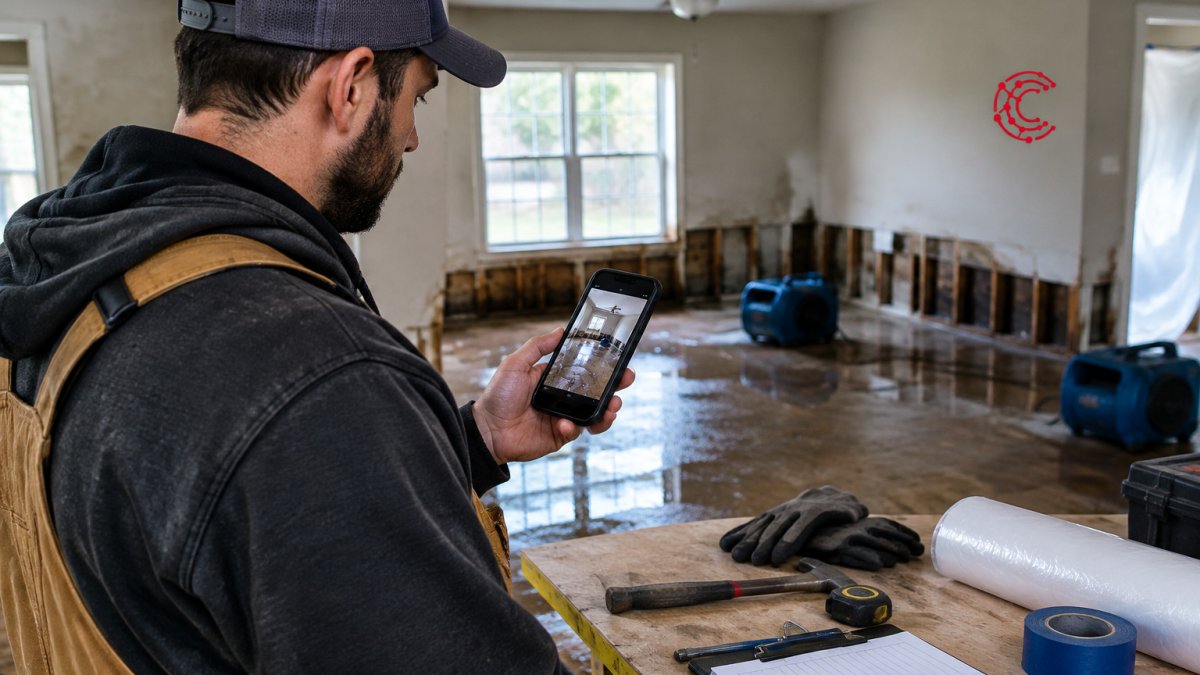
A common rhythm looks like this:
- Start of day: Crew confirms the day's plan.
- Midday: Quick check-in only if something changed.
- End of day: Full daily update using the template from Step 2.
- Milestone events: Immediate alert for scope changes, safety issues or equipment failures.
Pick the rhythm that fits your team size. A 10-person company may need only end-of-day updates. A larger firm running multiple sites may need midday checks too.
Watch out: a rhythm only works if the office responds to updates. If nobody reads the end-of-day report, crews stop sending it.
Step 4: Choose Field Service Communication Tools That Enforce the Standard
The right tool makes the standard easy to follow. Compare field service software features that matter for scheduling, job tracking and communication. The wrong tool makes crews skip steps. Look for software that supports your templates, stores photos with job records, and sends alerts automatically.
When you evaluate options, ask:
- Can we create the templates from Step 2 inside the tool, with required fields?
- Do photos attach to the correct job and room automatically, without a separate upload step?
- Does the tool notify the office when a milestone update is missed?
- Can adjusters access the photo packets they need without extra emails?
- Does a field entry trigger the next office action, or does someone have to re-key it?
That last question is where most restoration companies lose time. Standardized communication pays off most when a field entry moves the job forward in the office system without re-keying.
A few triggers worth building into whatever platform you choose:
- Phase change to Drying fires the drying log schedule and notifies the assigned project manager.
- Scope change alert submitted creates an approval task for the estimator and pauses billing on the affected line items.
- Moisture reading at or below dry standard queues the final drying check and prompts the office to schedule the clearance inspection.
- Incident escalation submitted opens a safety review task and notifies the operations lead by phone, not just in-app.
- Adjuster photo packet completed attaches the packet to the claim record and sends the adjuster a single link instead of a thread of images.
To standardize the data entry that feeds those triggers, define the field list once and lock it. Room names come from a dropdown, not free text. Moisture readings use one unit and one meter type per job. Phase values are limited to the phases your SOP recognizes. When the field list is locked, the office can trust that a report marked 'Drying complete' means the same thing on every job, and the trigger fires correctly.
Cortex by JobDox is an AI-native operations platform built for restoration and service contractors, and it automates documentation and workflows.
Training matters as much as the tool. Learn how to train field staff on new digital tools with a practical plan and hands-on exercises. Plan a short hands-on session so every tech logs their first job correctly, and audit the first ten submissions against the template before you trust the triggers.
Watch out: if the tool lets techs type free text into fields that drive triggers, the triggers will misfire within a month. Lock the fields that matter and leave free text only for notes.
Step 5: Protocols for Emergency and Crisis Phases on a Job
Emergencies change the normal rhythm. A sewage backup, a structural hazard or a fire-damaged wall needs faster, more specific communication.
Build a separate protocol for crisis phases:
- Immediate alert: Notify the office within minutes, not at end of day.
- Safety stop: Any tech can halt work and report the reason before resuming.
- Escalation path: Name who gets called first, second and third if the lead cannot be reached.
- Customer notice: Define who speaks to the property owner and what they say.
Keep the crisis protocol on the same page as your SOP so no one has to search for it. Review it after every major incident and update the escalation names as your staff changes.
Step 6: Document Adjuster and Customer Conversations Consistently
Adjuster and customer conversations often happen by phone, email or text, and details get lost. Standard documentation keeps the record clean and protects your billing.
For each conversation, log:
- Date, time and who was contacted
- The question asked and the answer given
- Any approval, denial or request for more information
- The follow-up owner and due date
Your admin team should own this log. When an adjuster asks about a decision made two weeks earlier, the answer should take seconds to find. Consistent records also support faster claim recovery, because you can show exactly what was approved and when.
Putting the Standard Into Practice on Your Next Job
Start small. If you want to automate restoration project workflows in seven steps, the same templates and triggers can be reused across jobs. Pick one upcoming job and apply the SOP, templates and update rhythm from Steps 1 through 3. Track what breaks and fix it before rolling the standard out to every crew.
Then add the tools, crisis protocol and documentation practices as your team gets comfortable. Standardization is a process, and each completed job makes the next one easier to run.
Ready to see how this works in practice? Start your 14-day free trial of Cortex by JobDox.
Frequently Asked Questions
How should restoration field teams communicate during a project?
Field teams should use one shared channel, one update format, and one set of response times for the whole job. Crews report arrival, moisture readings, scope changes, and completion at fixed points, and the office confirms receipt. When every crew follows the same rules, the project manager can see status without calling each person. Written SOPs and a centralized platform make that consistency practical for teams of 10 to 50 employees.
What information should be included in a restoration job update?
A useful restoration job update includes the current phase, work completed since the last update, moisture or drying readings, photos of affected areas, any scope change that needs approval, the next scheduled step, and any open items for the adjuster or homeowner. Keeping these fields identical on every update lets the office and adjusters scan status in seconds. Omitting scope changes is the most common cause of later disputes over billing.
How often should restoration crews send project updates?
Set the frequency in your restoration communication SOP rather than leaving it to each crew. Many firms send an update at each major phase change and at a fixed daily or twice-weekly interval during active drying or rebuild work. The exact interval matters less than consistency, because adjusters and homeowners plan around predictable updates. Document the schedule in the templates your crews use.
What should a restoration communication SOP include?
A restoration communication SOP should name who sends each type of message, the channel used, required update fields, response-time expectations, escalation paths for scope changes or safety issues, and where each record is stored. It should also include the templates for routine updates and adjuster correspondence. Review the SOP after each completed job to close gaps that crews identified in practice.