 ultimate-guide
What Does Renovation Project Management Actually Involve?
Last Updated: October 24, 2026
Quick Summary
Renovation project management is the discipline of planning, scheduling, budgeting, and coordinating every trade, permit, and decision on a remodeling job so the work finishes on time and on budget. The project manager owns four things: scope, schedule, budget, and communication.
- A single-room refresh with one or two trades is manageable with a solid checklist.
- Build a schedule by listing tasks by trade, identifying dependencies, and adding material lead times.
- Track budgeted, committed, and actual numbers per line, not just paid invoices.
- Size contingency against specific risks like hidden conditions and long-lead materials, not a flat percentage.
- Collect lien waivers as payments are made, with final unconditional waivers at closeout.
Table of Contents
- Renovation Project Management: What It Covers and Why It Decides Your Budget
- The project manager's role and responsibilities
- DIY management vs. hiring a professional
- Build a Home Renovation Project Plan Before Anyone Picks Up a Hammer
- How to Build a Renovation Project Schedule That Holds Up
- Budget Planning and Cost Control: Using a Renovation Budget Template
- Trade Coordination, Permits, and Inspections by Project Phase
- Renovation Project Management Software: What It Should Do
- Risk Management, Delays, and Project Closeout
- Put Your Renovation Project Management on Autopilot
- Frequently Asked Questions
Renovation Project Management: What It Covers and Why It Decides Your Budget
Renovation project management is the discipline of planning, scheduling, budgeting, and coordinating every trade, permit, and decision on a remodeling job so the work finishes on time and on budget.
The stakes are real. According to Buildertrend's 2026 construction statistics, roughly one in five builders still delivers projects late, and more than a quarter of new-home builders name subcontractor delays as their single biggest management challenge.
The project manager's role and responsibilities
A common mistake is treating the role as pure administration. In practice, the project manager makes the hard calls: which change order gets approved, which trade gets rescheduled first when materials arrive late, and when to escalate to the client.
For growing firms, the job also includes delegation. If you are deciding how much of this to hand off, how to delegate tasks in a growing contracting firm covers task selection, assignment, and accountability.
DIY management vs. hiring a professional
Homeowners and small contractors both face this choice, and the answer depends on complexity. A single-room refresh with one or two trades is manageable with a solid checklist. A multi-phase remodel with permits, inspections, and four or more subcontractors is not.
Here is the split we see in practice:
| Project type | DIY management | Professional PM |
|---|---|---|
| Single room, 1-2 trades | Workable with a checklist | Usually unnecessary |
| Kitchen or bath with permits | Risky | Recommended |
| Multi-room or structural work | Not advised | Required |
| Occupied home with a deadline | High stress | Strongly recommended |
Best for DIY: straightforward cosmetic work with a forgiving timeline. Skip if: the job requires permits, structural changes, or more than three trades touching the same space.
Build a Home Renovation Project Plan Before Anyone Picks Up a Hammer
A home renovation project plan is the written scope, sequence, and budget every decision gets measured against. It should exist before demolition, not after.
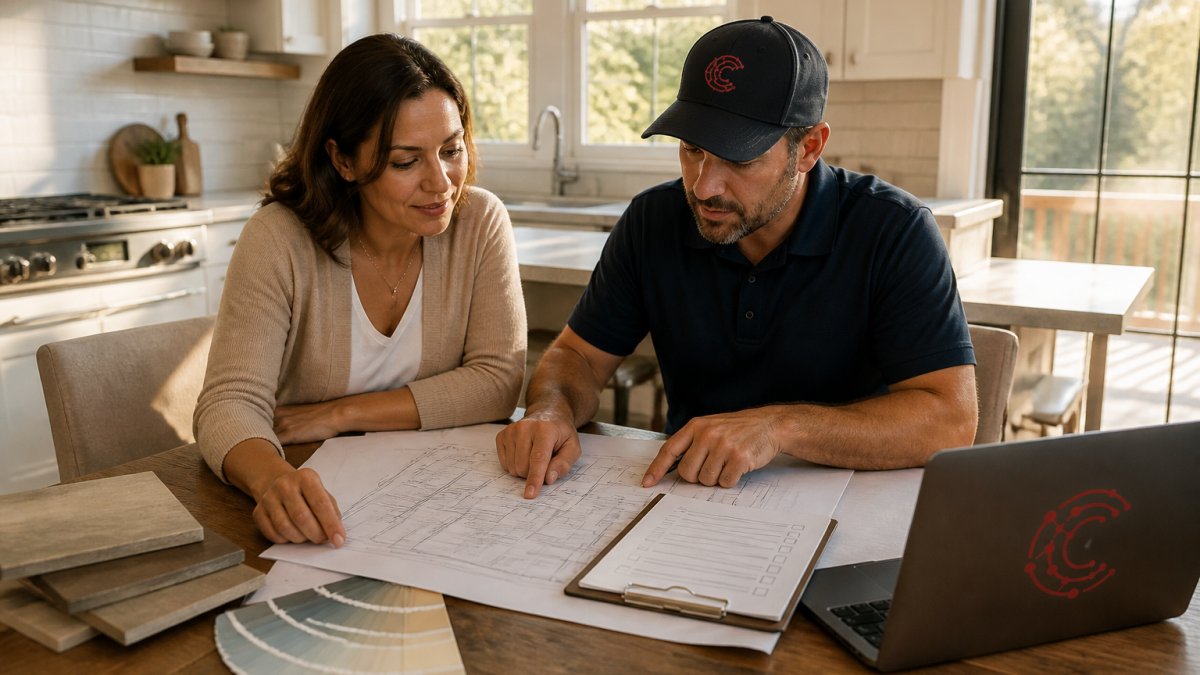
Start with three documents: a scope statement listing what is and is not included, a room-by-room priority list, and a preliminary cost estimate with a contingency line. The scope statement saves relationships, when a homeowner asks for "just one more outlet," you can point to the document instead of arguing.
Decide early which items are non-negotiable and which can be value-engineered if the budget tightens, far easier before you are three weeks in and committed.
How to Build a Renovation Project Schedule That Holds Up
A renovation project schedule is a sequenced list of tasks with durations, dependencies, and milestone dates. It holds up when it accounts for lead times and inspection windows, not just labor hours.
Build it in this order:
- List every task by trade, from demo to final paint.
- Identify dependencies: drywall cannot start before rough electrical inspection.
- Add lead times for materials, especially cabinetry and special-order fixtures.
- Block inspection windows into the calendar as fixed dates.
- Set milestones at phase boundaries so progress is measurable.
- Build in float for the two or three tasks most likely to slip.
If you want to compare tools that help a schedule survive contact with reality, AI tools for construction project scheduling lays out the options.
Budget Planning and Cost Control: Using a Renovation Budget Template
A renovation budget template is a line-item cost tracker that separates hard costs, soft costs, and contingency, and updates against actual spend as the job progresses. The template matters less than the discipline of updating it weekly, it only works when tied to a commitment log and a change-order register.
Build the budget in five layers
- Scope-linked line items. Break the estimate down by trade and room, not vague category. "Electrical, kitchen rough-in" is trackable; "electrical" is not. Map each line to a schedule task so a slip in one is visible in the other.
- Hard costs. Materials, labor, and subcontractor bids. Carry the bid amount, not the allowance, once a subcontract is signed.
- Soft costs. Permits, design fees, inspections, dumpsters, temporary utilities, and owner-supplied professional services, easy to forget and hard to recover once underway.
- Contingency. A reserve sized to risk, not a flat percentage copied from a blog. More on sizing below.
- Change-order register. Every approved addition with its cost impact, date, approver, and schedule effect. If it is not in the register, it did not happen.
Track commitments, not just invoices
A line-item budget that only records paid invoices lags reality by weeks. Track three numbers per line: budgeted, committed (signed subcontracts and purchase orders), and actual (invoiced and paid). Budgeted minus committed is your remaining buying power; committed minus actual is where overruns hide. A weekly review catches drift before it compounds.
Size contingency to the project, not to habit
A common pattern is to set contingency as a single percentage and spend it in week one. A more defensible approach sizes the reserve against the specific risks on the job:
- Hidden conditions (water damage, outdated wiring, non-code framing behind drywall): the largest single driver on older homes.
- Long-lead and special-order materials: cabinetry, windows, tile, and fixtures where a substitution changes both cost and schedule.
- Permit and inspection risk: jurisdictions with slow review cycles or strict correction notices.
Assign a rough dollar exposure to each risk, sum them, and hold that as the contingency floor. Revisit it at each phase boundary. Contingency is released only by written approval, logged in the change-order register.
Control change orders with a written process
Every change order should answer four questions before approval: what is changing, what it costs, what it does to the schedule, and who is paying. Verbal approvals are the most common source of end-of-job disputes. A one-page form with a signature line is enough. Record declined changes too, it protects both sides if the issue resurfaces.
Two resources help here. How to improve project budget accuracy for contractors covers estimate reliability, and how contractors use AI to stop budget overruns shows how predictive tracking flags variance before it compounds.
Trade Coordination, Permits, and Inspections by Project Phase
Trade coordination means sequencing subcontractors so no one arrives before the site is ready and no one holds up the next trade. Permits and inspections are the fixed points that sequence everything else.
Map compliance to phases:
| Phase | Permit or inspection checkpoint |
|---|---|
| Demo and framing | Structural permit, framing inspection |
| Rough-in | Electrical, plumbing, HVAC rough inspections |
| Insulation and drywall | Insulation inspection before close-up |
| Finish | Final inspections per trade |
| Closeout | Certificate of occupancy where required |
A common mistake is scheduling trades against the hoped-for inspection date rather than the confirmed one. Confirm with your local building department, since requirements vary by jurisdiction and building code guidance from the International Code Council sets the model codes many jurisdictions adopt.
Renovation Project Management Software: What It Should Do
Renovation project management software should track tasks, budgets, schedules, and documentation in one place, and reduce the admin load rather than add to it. If your team spends more time updating the tool than doing the work, the tool is the problem.
What to look for:
- Task tracking tied to schedule milestones
- Real-time job costing against the estimate
- Document and photo capture that syncs to the right job
For a deeper look at what AI-native platforms can do for restoration and service contractors, AI project management software for restoration contractors walks through the full picture.
Risk Management, Delays, and Project Closeout
Risk management on a renovation means naming the likely failures in advance and deciding how you will respond. Delays are not exceptions; they are part of the plan. Closeout is where the discipline of the whole job pays off or evaporates, and the phase most guides skip.
Name the risks and set triggers before the job starts
The three risks that derail most jobs are material lead times that slip, inspection failures that push the sequence, and scope creep disguised as a small favor. For each, write down the trigger and the response before demolition:
| Risk | Early warning trigger | Pre-agreed response |
|---|---|---|
| Long-lead material slip | Vendor confirms date beyond the scheduled install window | Resequence finish work; issue revised completion date in writing |
| Inspection correction notice | Inspector flags a correction at rough-in | Hold the next trade; schedule reinspection; log cost and schedule impact |
| Hidden condition found after demo | Framing, wiring, or plumbing not as expected | Stop work in that area; photograph; issue change order before proceeding |
| Scope creep | Homeowner requests work not in the scope statement | Route through the change-order process; no verbal approvals |
| Weather (exterior work) | Forecast shows multi-day disruption | Pull interior tasks forward; protect exposed areas |
A common pattern is to treat each delay as a one-off crisis. The disciplined approach is to decide the response once, in advance, so the decision is not made under pressure. If cabinets are two weeks late, does finish work resequence, or does the client get a revised completion date? Decide before it happens.
Escalate on a defined path
Set an escalation ladder: field lead to project manager to owner or client. Each step has a dollar threshold and a time limit, any issue that threatens the milestone date or exceeds the contingency draw limit goes to the client within one business day. The ladder keeps small problems from becoming schedule failures.
Closeout: the handover package
Closeout is not a single walkthrough. It is a documented handover that protects the contractor and earns the referral. Build the package as the job progresses, not in the last week:
- Punch list. Walk the job with the client, record every defect with a photo and a location, assign an owner and a due date, and re-walk to sign off. A punch list that lives only in a text thread will be disputed.
- Final inspections and sign-offs. Collect the signed inspection cards or portal confirmations for every trade, plus the certificate of occupancy where the jurisdiction requires one.
- Warranties and manuals. Manufacturer warranties, appliance manuals, and any contractor workmanship warranty, organized by system and handed over in one folder.
For a deeper look at how AI-native platforms support documentation and closeout for restoration and service contractors, AI project management software for restoration contractors walks through the full picture.
Put Your Renovation Project Management on Autopilot
The hard truth is that most renovation project management failures are administrative, not technical. Budgets drift because nobody updated the tracker. Schedules collapse because a lead time was never logged.
Cortex by JobDox is built for exactly this. It predicts project budgets and flags overruns early, automates documentation and operational workflows, and drafts adjuster responses so your team recovers more of what it is owed.
Get started with Cortex by JobDox and run your next renovation on a plan that updates itself.
Frequently Asked Questions
What does a renovation project manager do?
A renovation project manager owns the schedule, budget, and trade coordination from pre-construction through closeout. That means building the home renovation project plan, sequencing subcontractors, tracking change orders, and keeping the homeowner informed. On a typical kitchen or bath remodel, the manager also handles permit applications, inspection scheduling, and quality control walkthroughs. Buildertrend's 2026 construction data shows 21.4% of builders still deliver projects late, which is why the coordination role matters as much as the construction itself.
How do you create a renovation project schedule?
Start with the permit and design phase, then sequence trades in dependency order: demolition, rough framing and electrical, inspections, insulation and drywall, finishes, and final walkthrough. Build lead times for materials into each milestone, not just labor days. A renovation project schedule should show buffer days before inspections and a clear completion date. Update it weekly so rescheduling stays visible to every trade and the homeowner rather than living in someone's inbox.
How can you keep a renovation project on budget?
Set the budget before design is finalized and hold a contingency of 10-20% for surprises behind walls. Use a renovation budget template with line items for labor, materials, permits, and change orders, and reconcile actual costs against estimates weekly. Houzz's 2026 study put the median planned renovation spend at $15,000, down from $20,000 in 2025, so homeowners are watching costs closely. Flag any variance over 5% immediately and decide whether to absorb it or cut scope.
What software is useful for managing renovation projects?
Look for renovation project management software that combines scheduling, budget tracking, document storage, and client communication in one place. The project-management software market reached $9.76 billion in 2025 and is projected to hit $11.27 billion in 2026, according to monday.com, so options are plentiful. Prioritize tools built for contractors, like Cortex by JobDox, which automates documentation, predicts budget overruns, and drafts adjuster responses, over generic task trackers that force you to rebuild workflows.
In what order should home renovations be done?
Work moves from structural and systems upgrades to cosmetic finishes. That means permits and design first, then demolition, framing, plumbing and electrical rough-in, inspections, insulation and drywall, cabinetry and flooring, then paint and fixtures. Skipping ahead to finishes before rough-in inspections pass forces rework. A home renovation project plan should map this order to your specific scope so trades arrive in sequence and no one is waiting on a wall that hasn't been inspected.
What is the most expensive part of a house to remodel?
Kitchens and bathrooms carry the highest cost per square foot because of plumbing, electrical, cabinetry, and fixtures. Kitchens were the most popular room to renovate at 26% in Houzz's 2026 study, and they concentrate the most trades in the smallest space, which is why renovation project management matters most there. Structural work, like moving load-bearing walls, can push costs higher than any finish selection, so confirm scope before demolition begins.