
 ultimate-guide
A Contractor's Guide to Streamlining Restoration Workflows
Last Updated: October 26, 2026
Quick Summary
Streamlining restoration workflows with technology means replacing manual double entry, scattered photos, and memory-based scheduling with rules-based automation and mobile documentation capture. Map each process on paper first, then automate the steps that never change, and roll out tools in four gated phases: inventory, evaluate, migrate, and adopt.
- Most restoration companies lose money in the gap between the job site and the office, not on site.
- Automate repeating tasks first, but only after mapping the process on paper.
- Documentation checklists should require daily moisture readings and photos tagged by room and phase.
- Schedule to capacity, not the calendar, so crews are never booked without drying equipment.
- Adopt in four weeks: office and dispatch, one crew, all crews, then estimating handoff.
Table of Contents
- Where Restoration Workflows Leak Time and Money
- How Restoration Business Process Automation Cuts Manual Admin
- Restoration Job Documentation Software That Holds Up to Adjuster Scrutiny
- Restoration Project Management Software: Mapping the Full Job Lifecycle
- Contractor Scheduling Software and Emergency Surge Capacity
- How to Choose, Integrate, and Roll Out the Right Tools
- Data Security, Privacy, and Business Continuity for Restoration Firms
- Start Your 14-Day Free Trial and Rebuild One Workflow First
- Frequently Asked Questions
Where Restoration Workflows Leak Time and Money
Simplifying restoration workflows with technology starts with one uncomfortable truth: most restoration companies don't lose money on the job site. They lose it in the gap between the job site and the office.
The U.S. Bureau of Labor Statistics occupational outlook for water and waste treatment and restoration-adjacent trades confirms what most owners already feel: demand for restoration and remediation work keeps climbing while the labor pool stays tight.
The Four Bottlenecks Most Contractors Miss
- Double entry. Job details get written on paper, then typed into software, then re-typed into an estimating tool. Every copy is a chance for an error.
- Photo chaos. Site photos live on three different phones and one shared drive. Nobody knows which version the adjuster actually received.
- Scheduling by memory. Crew assignments live in a dispatcher's head. When that person takes a day off, the schedule falls apart.
- Silent overruns. Nobody notices a job is running over budget until the invoice goes out, weeks after the money was spent.
These bottlenecks compound. Fix documentation and you cut phone calls. For a deeper look at how these workflow problems tie into scaling struggles, see our article on why restoration companies struggle to scale. Cut phone calls and the office has time to chase claims. Chase claims faster and cash flow improves. The restoration industry coverage from Restoration & Remediation magazine has tracked this pattern for years: the companies that scale are the ones that stop treating admin as a cost of doing business.
How Restoration Business Process Automation Cuts Manual Admin
Restoration business process automation replaces repetitive office tasks with rules-based workflows. Instead of a person manually converting a signed work authorization into a job record, the system does it.
The tasks worth automating first are the ones that repeat on every single job:
- Converting a won estimate into a scheduled job
- Sending the same intake questionnaire to every new customer
- Requesting and filing site photos by room and date
Automation only works when the underlying data is clean, automating a messy process just makes the mess faster. Map the process on paper first, then automate the steps that never change.
Restoration Job Documentation Software That Holds Up to Adjuster Scrutiny
For a closer look at the communication side of this, our guide on improving adjuster communication walks through six practical steps that pair well with any documentation system.
Here's what a documentation checklist should require on every job:
- Moisture readings logged daily with date, time, and location
- Photos tagged by room and phase, with timestamps
- Equipment placement and removal recorded against the drying log
Restoration Project Management Software: Mapping the Full Job Lifecycle
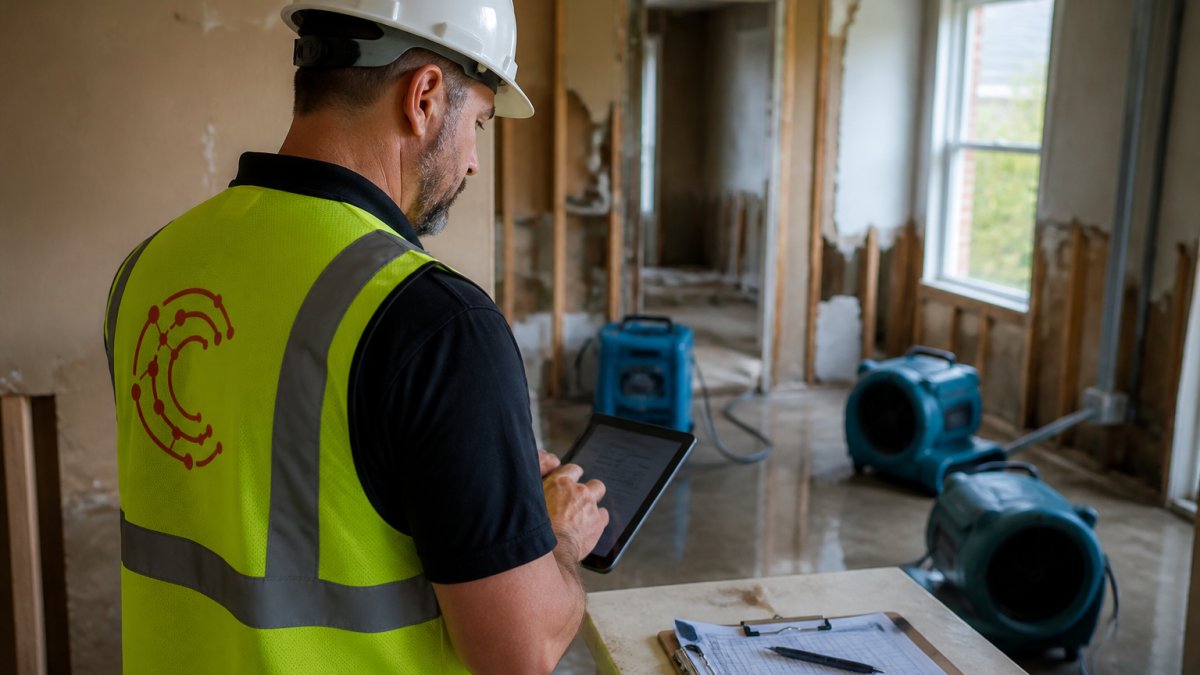
A full lifecycle map looks like this:
- Intake. Emergency call logged, address captured, loss type recorded.
- Dispatch. Crew assigned, equipment reserved, arrival window confirmed.
- Mitigation. Moisture readings, photos, and daily logs captured on site.
- Estimating. Scope written against captured data, not memory.
- Claim submission. Documentation packaged for the adjuster.
- Reconstruction. Scope handed off without re-entering data.
- Billing and closeout. Invoice tied to the documented scope.
Where Insurance Claims and Estimating Fit In
Claims and estimating shouldn't be a separate workflow bolted on at the end. Cortex by JobDox drafts adjuster responses from the job record, so the office isn't rebuilding the argument every time a claim gets questioned.
Contractor Scheduling Software and Emergency Surge Capacity
That matters most during a surge, when a storm pushes twenty emergency calls through the door in one afternoon.
The difference between a company that handles a surge and one that drowns is visibility.
A common mistake is scheduling to the calendar instead of to capacity. Two crews can be "available" and still be unable to take a third job because the drying equipment is already out.
How to Choose, Integrate, and Roll Out the Right Tools
Choosing restoration software comes down to fit, not feature count. The right platform matches how your team already works. A practical rollout has four phases, inventory, evaluate, migrate, and adopt, each a gate: don't move on until the current one is signed off.
Phase 1: Inventory What You Already Run
Before you compare vendors, write down every system that touches a job: estimating tool, accounting package, CRM or lead tracker, phone/VoIP system, shared drive for photos, and a scheduling board that may be a whiteboard. For each, record:
- System of record. Which tool holds the authoritative customer list, job list, and invoice data?
- Integration surface. Does it expose an API, a CSV import/export, or only manual entry?
- Replacement cost. What would it take in time and money to leave it?
Phase 2: Evaluate Against Restoration-Specific Criteria
Score each vendor on the criteria that actually decide whether a restoration workflow holds up:
| Criterion | What to verify | Why it matters |
|---|---|---|
| Documentation capture | Timestamped photos, moisture readings, drying logs captured on mobile, offline-capable | Adjusters reject claims for missing or undated evidence |
| Estimating handoff | Captured field data flows into the estimate without retyping | Scope matches what happened on site |
| Scheduling and dispatch | Crew and equipment tracked together on one board | Prevents booking crews that have no drying equipment |
| Accounting integration | Two-way sync with your accounting package or a documented export | Stops invoice and job-cost double entry |
| Communication | Customer and adjuster messaging tied to the job record | Keeps the paper trail in one place |
| Data portability | Full export of records, photos, and documents on demand | Protects you if you ever leave |
Phase 3: Migrate Without Losing History
- Customers and contacts first. Import the customer list and deduplicate before anything else.
- Open jobs second. Move only active jobs; archive closed jobs to a read-only export.
- Photos and documents third. Confirm the new system preserves timestamps and file names, or your evidence chain breaks.
- Historical financials last, or not at all. Most firms keep prior-year accounting in the old system and start fresh in the new one.
Phase 4: Adopt With Measurable Milestones
- Week 1: Office and dispatch only. Prove intake, scheduling, and job creation work.
- Week 2: One crew runs one job end to end on mobile capture.
- Week 3: All crews on documentation capture; office stops accepting paper logs.
Set a go/no-go metric for each week, for example, every active job has a timestamped photo set and a daily log by end of week three.
Our article on training field staff on new digital tools covers the adoption side in more detail, and the Cortex by JobDox FAQ answers the onboarding, pricing, and feature questions contractors ask most before committing.
Data Security, Privacy, and Business Continuity for Restoration Firms
Restoration firms hold a data set that is unusually sensitive and unusually portable: home addresses, insurance policy numbers, photos of the inside of people's homes, signed work authorizations, and moisture readings documenting property condition. That data lives on phones, tablets, laptops, and shared drives, often carried by crews between jobs. A generic "use strong passwords" section doesn't cover the operational risk.
Inventory the Data You Hold
Before you can protect data, list it by category and location:
- Customer and claim records. Names, addresses, policy numbers, adjuster contacts, claim numbers.
- Property evidence. Photos, videos, moisture maps, drying logs, equipment placement records.
- Authorizations and contracts. Signed work authorizations, change orders, certificates of completion.
For each category, note where it's stored (cloud platform, local server, phone, paper file) and who can access it.
Apply Controls That Fit Field Work
- Role-based access. A field tech should see the jobs assigned to them, not the full customer database. Office staff see billing; estimators see scope; nobody sees everything by default.
- Device controls. Require passcodes on crew phones and tablets, enable remote wipe, and keep job apps in a managed container so a lost phone doesn't expose the whole customer list.
- Retention and deletion rules. Decide how long you keep evidence photos and claim records, and delete on schedule. Keeping everything forever increases exposure without adding value.
Build a Continuity Plan for Surge Events
A workable plan has three parts:
- Offline intake. Keep a paper or spreadsheet intake form that mirrors your digital fields so calls can be logged if the platform is down.
- Backup and restore test. Ask your vendor how often backups run, where data is stored, and how long a restore takes. Then test a restore of a single job record, not just trust the answer.
- Communication fallback. Have a documented way to reach crews and customers if the primary messaging tool fails, such as a phone tree or a secondary SMS tool.
Due-Diligence Questions for Any Vendor
Get written answers to these before you sign:
- Where is data stored, and is it encrypted at rest and in transit?
- How often are backups taken, and what is the restore time objective?
- Can we export all records, photos, and documents on demand?
Start Your 14-Day Free Trial and Rebuild One Workflow First
Cortex by JobDox is built for exactly that kind of test. The platform is AI-native and purpose-built for restoration contractors, with automated setup that builds workflows from a plain-English description of how your business runs. Cortex Copilot answers job, crew, and financial questions in plain English. Budget predictions flag overruns early, and adjuster response drafts help you recover more.
You can start your 14-day free trial and rebuild one workflow first.
Frequently Asked Questions
How can restoration businesses streamline workflows with technology?
Start with the task that eats the most office hours: documentation and adjuster communication. The goal is to reduce repeated data entry. Once you have identified a workflow to improve, consider where automation could help.
What technology tools help restoration contractors manage projects?
When evaluating tools, consider which project-management, documentation, and scheduling capabilities your business needs.
How can restoration companies automate job documentation and communication?
Consider which routine tasks could be automated. Cortex by JobDox can draft adjuster responses.
How can restoration contractors identify and fix workflow bottlenecks?
Track two numbers per job: time from first contact to equipment on site, and time from job completion to invoice paid. Then note every point where someone waits or re-enters data. Look for points where someone waits or re-enters data, then prioritize the bottleneck that affects payment. Consider whether a process change or a tool could address it.
What is an example of process improvement in a restoration business?
Consider reviewing the intake process and identifying repetitive steps that could be automated.
How long does it take to implement new restoration software?
Timelines vary by platform and by how much of your existing process you move at once. A realistic approach is to launch one workflow, such as documentation or scheduling, get the field team comfortable with it, then add the next. Ask any vendor how much of your team's time implementation will take and whether white-glove onboarding is available. Budget for training time on top of setup, because field adoption decides whether the tool sticks.
Will new software force us to change how our admin team already works?
It depends on the platform. Before committing, list the steps your admin staff performs daily and ask the vendor to show those exact steps in a demo. If the tool cannot match your existing process closely, factor in the cost of retraining and the productivity dip that comes with it.
What should restoration firms check for data security and business continuity?
Ask where job data and customer information are stored, who can access it, and what happens to your records if you stop using the platform. Because restoration files include insurance details and homeowner information, access controls matter. Also ask for an export option so you are not locked in, and keep a written procedure for what your team does if a system goes down mid-job.
The restoration companies that scale aren't the ones with the biggest crews. They're the ones whose office keeps up with the field. Pick your worst bottleneck, put it in front of a system built for restoration work, and measure what changes in two weeks. Get started with Cortex by JobDox and see how much time your team gets back.